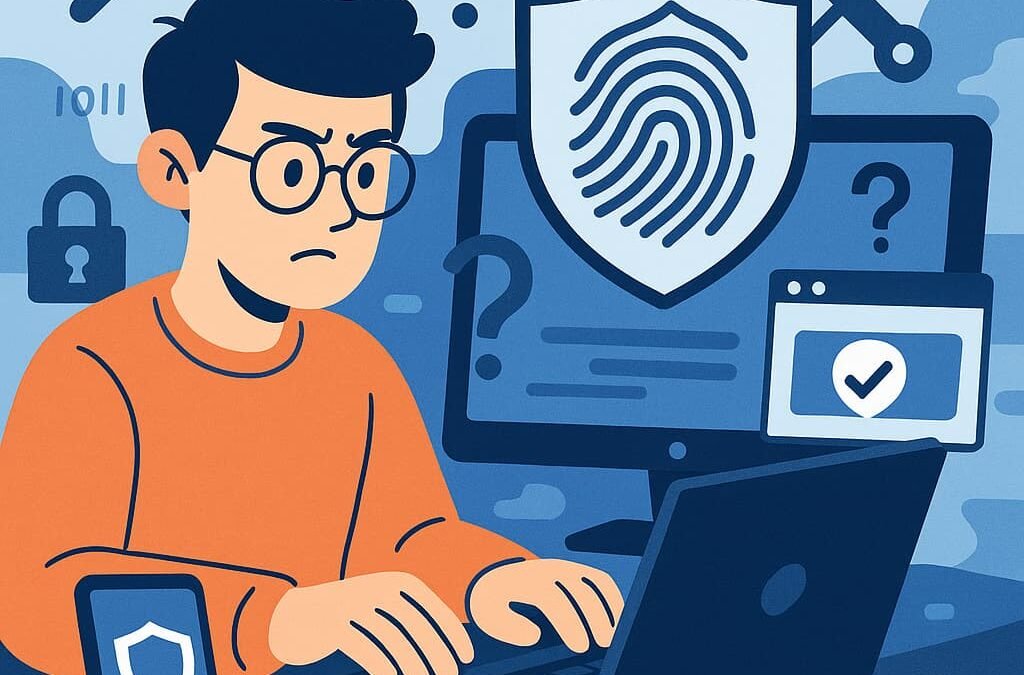
Short answer: no, it’s generally not safe to share personal info with AI chatbots — at least not the sensitive kind. Longer answer: it depends on what info, which chatbot, and what settings you’ve enabled. Let’s break down the actual risks instead of vague fear.
Real Incidents (Why This Isn’t Theoretical)
Privacy caution isn’t paranoia — there are documented cases:
- Training data leaks: models have occasionally regurgitated training data including personal information. Rare, but real.
- Chat history exposures: bugs have briefly exposed users’ chat histories to other users at major providers. Unlikely, not impossible.
- Employee oversharing: the most common “incident” — workers pasting proprietary code, customer data, or internal documents into chatbots. Samsung, among others, famously restricted this after internal leaks.
- Prompt injection exfiltration: attacks tricking AI assistants into revealing prior conversation contents. An emerging threat as agents gain tool access.
None of these mean “never use chatbots.” They mean: understand the risk model and act accordingly. The pattern across incidents is consistent — sensitive data in, potential exposure out. Control the input, control the risk.
What Happens to What You Type
When you send a message to a cloud chatbot, it travels to the provider’s servers, gets processed, and typically gets logged. Depending on the provider and your settings, that log may be:
- Used to train future models (opt-out usually available — see privacy policy differences)
- Reviewed by humans for safety/abuse monitoring (all major providers do some of this)
- Retained for weeks to months even after you delete the chat
- Subject to legal requests — like any company data, it can be subpoenaed
- Potentially exposed in a data breach — no system is unhackable
None of this means providers are misusing your data. It means your words live on servers you don’t control, which is inherently riskier than keeping them local.
The Risk Tiers: What’s Fine vs. What’s Not
Generally fine: general knowledge questions, writing help, coding questions (without proprietary code), brainstorming, learning. Nothing traceable to you.
Use caution: your name, workplace, general location, health topics in the abstract. Low risk, but it builds a profile over time — especially with memory features enabled.
Never share: passwords, financial account numbers, Social Security/ID numbers, precise medical details, legal strategy, children’s personal info, proprietary business data, anything you’d be upset to see leaked. Full list: what to never tell an AI chatbot.
But What About…? (Common Questions)
“I deleted the chat, so it’s gone, right?” Not immediately. Providers retain deleted data briefly for safety processing. Deletion removes it from your view and eventually from their systems — but “eventually” isn’t “instantly.”
“The paid version is private, right?” More private, not fully private. Enterprise tiers offer the strongest protections (no training, stricter retention), but human safety review and legal compliance still apply.
“What if I just need help with something personal?” Anonymize it. Instead of “my daughter Emma at Lincoln High,” write “a teenager.” Instead of pasting your actual medical report, describe symptoms generally. You usually get equally good help with the identifiers stripped.
The Safest Alternatives for Sensitive Stuff
- Local models: Running DeepSeek locally means sensitive prompts never leave your machine. The gold standard for private AI use.
- Anonymization habit: replace names, numbers, and identifiers with placeholders before pasting.
- Separate accounts/contexts: keep casual AI use and sensitive work in different places.
Is It Safe to Share Personal Info With AI Chatbots? Building Your Answer
Write down your own rules once, follow them always:
- My never-share list: adapt the definitive never-share list to your life. Print it mentally.
- Anonymization habit: names → roles, numbers → [X], specifics → generals. Make it automatic.
- Settings audit: training opt-outs on, old chats deleted, quarterly review.
- Separate spheres: casual AI use and sensitive work don’t mix. Different tools, different habits.
- The gut check: before sending anything borderline, pause and ask: “Would I be okay if this appeared in a breach headline?” If not, anonymize or don’t send.
Five rules, internalized once, protecting you forever. Privacy with AI isn’t about fear — it’s about being deliberate. The people who get burned are never the careful ones.
What About Business and Client Data?
Personal info gets the headlines, but professional data is where costly mistakes happen. Client names in a “help me draft this email” prompt. Unreleased financials in a “summarize this report” request. Proprietary code in a debugging session. Trade secrets in a strategy brainstorm. The rules are stricter here because the stakes include other people’s trust and legal liability. Company policy first: many employers now have explicit AI-use policies — read yours before pasting anything work-related. Assume work chatbots log: unless you’re on an enterprise plan with contractual zero-retention, assume it. Anonymize aggressively: “Company X” and “[CLIENT]” work fine for most AI assistance. The AI doesn’t need real names to help with structure, strategy, or drafting. When in doubt, ask: “would I be comfortable if this appeared in a news article?” If not, redact. For the policy details behind these recommendations, see how chatbot privacy policies differ.
Google’s Gemini page is worth checking for the latest capabilities from the DeepMind side of the race.
Bottom Line
Is it safe to share personal info with AI chatbots? Casual, non-identifying info: reasonably safe with good settings. Sensitive personal data: no — don’t do it, regardless of provider promises. The rule that covers everything: if you wouldn’t want it in a data breach headline, don’t type it into a cloud chatbot. Anonymize what you can, run locally what you can’t, and you’ll get all the benefits with a fraction of the risk.