
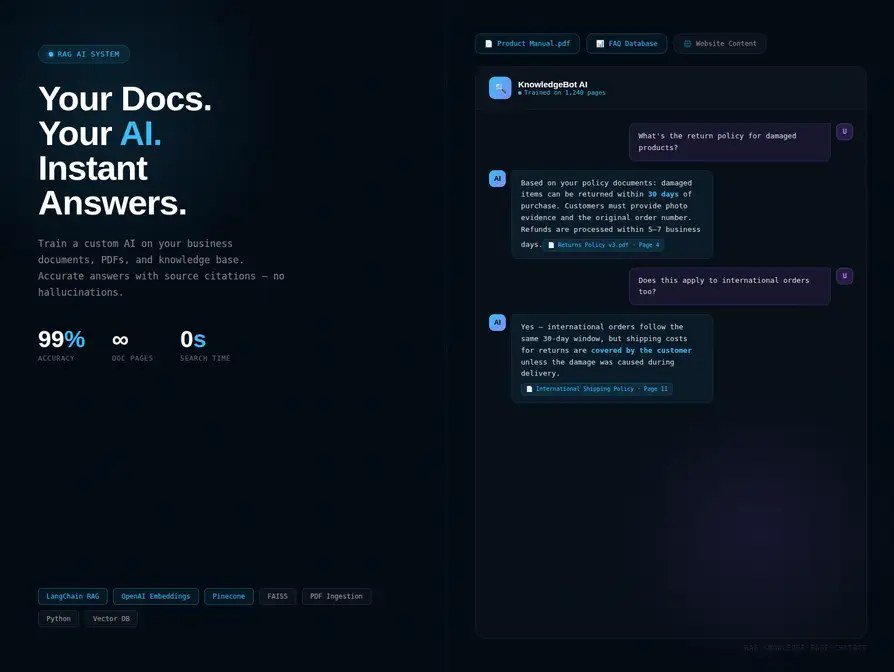
Your business runs on knowledge trapped in people’s heads, scattered docs, and that one veteran employee who “just knows.” How to train AI on your business knowledge base is about liberating that knowledge — building an AI assistant that answers “what’s our return policy for X?” or “how do we handle Y?” instantly, accurately, from your sources. Here’s the complete walkthrough, from messy docs to working assistant.
How to train AI on your business knowledge base: What Actually Works
Before any AI touches anything, know what you have. Inventory: SOPs, policy docs, product manuals, FAQs, training materials, past support tickets, internal wikis, onboarding docs. Then audit ruthlessly: Is it current? (That 2021 policy doc will confidently mislead.) Is it contradictory? (Two docs saying opposite things = confused AI.) Is it complete? (The undocumented tribal knowledge is usually the most-asked-about.) Clean first, AI second. Many “AI doesn’t work” complaints are actually “our knowledge base is a mess” complaints. Fixing the docs often delivers value before the AI even arrives — and if your processes aren’t documented yet, document them with AI help first.
Step 2: Choose Your Approach
Option A: Custom GPT / Gemini Gem (fastest). Upload documents to a custom AI assistant. Minutes to set up, no technical skill needed, surprisingly capable. Best for: internal team assistants, small knowledge bases (<100 documents), proving the concept. Limitations: less control, harder to integrate into workflows.
Option B: RAG platform (balanced). Dedicated tools that handle document ingestion, retrieval, and Q&A behind a UI. Best for: customer-facing support bots, larger knowledge bases, teams wanting analytics. This is the practical middle ground most businesses land on.
Option C: Custom RAG build (most control). Your own vector database + retrieval + generation pipeline. Best for: complex requirements, regulated industries, deep integrations. Needs technical resources. The full technical guide: training AI on business data.
Start with A, graduate as needed. Most businesses never need C — and the ones that do know it because they’ve outgrown B.
Step 3: Structure for Retrieval
How you organize documents determines answer quality: one topic per document (or clearly headed sections) — retrieval works best on focused chunks. Write for the AI reader: clear headings, direct answers up front, consistent terminology. (This also makes docs better for humans — win-win.) Include the metadata: dates, versions, “applies to” scopes — so the AI can say “per the March 2026 policy” instead of mixing eras. FAQ-ify the common questions: literally write “Q: What’s our refund policy for opened items? A: …” — question-shaped content retrieves beautifully.
Step 4: Test Like an Adversary
Before launch, attack it: the obvious 50 — the questions everyone asks; verify each answer against the source doc. The edge cases — unusual situations, policy exceptions, “what if” scenarios. The trick questions — ask about things NOT in the knowledge base; it must say “I don’t know” rather than hallucinate. (This is the critical test most skip.) The contradictions — ask about topics where docs disagree; see how it handles conflict. Real users, supervised — pilot with a friendly internal group before customers. Track every wrong answer; each one is a doc fix or a guardrail improvement.
Step 5: Deploy, Monitor, Maintain
Start internal, then external. Team assistant first (forgiving users, fast feedback), customer-facing later. Monitor relentlessly at first: review logs weekly — what are people asking? Where does it fail? Assign a knowledge owner: someone owns doc currency. Stale docs = wrong answers = eroded trust. Measure: deflection rates, accuracy sampling, user satisfaction, time saved. Iterate: the knowledge base is a living system — feed it the questions it couldn’t answer, and it gets smarter monthly.
Common deployment targets: client onboarding (answer new-client questions instantly) and support deflection.
Knowledge Base Content That Works Best (And Worst)
Works best: FAQ-shaped content (“Q: … A: …”) — retrieves beautifully because it matches how people ask. Clear procedural docs with numbered steps. Policy docs with effective dates and scope (“applies to US customers”). Product specs with consistent terminology. Troubleshooting guides organized by symptom. The pattern: direct, structured, current, consistent.
Works worst: 50-page PDFs with no headings — the retrieval equivalent of a haystack. Contradictory docs (the 2023 and 2025 policies both live, disagreeing silently). Jargon-heavy content where the same concept has three names. Scanned images with no text layer. Tribal knowledge that was never written down (the AI can’t retrieve what doesn’t exist). The fix for the worst: it’s all curable — split the mega-docs, resolve contradictions (pick a winner, archive the loser), standardize terminology, OCR the scans, and interview the tribal-knowledge holders (the AI interview method works here too).
The 80/20 of knowledge prep: 20% of your documents answer 80% of questions. Identify them (ask your support team: “what do people ask about most?”), perfect those first, then expand. A knowledge base with 30 excellent documents beats one with 300 mediocre ones — retrieval quality follows document quality. Maintain the standard: every new document gets the checklist — clear headings? Current date? Consistent terms? FAQ-shaped where applicable? Quality at creation beats cleanup later. The knowledge base is a garden; tend it.
The Takeaway
Train AI on your knowledge base in five steps: audit and clean your docs, choose the approach (start with custom GPTs, graduate as needed), structure content for retrieval, test adversarially (especially the “I don’t know” test), then deploy internal-first with monitoring and a knowledge owner. The AI is only as good as the knowledge behind it — invest in the docs and the assistant shines.
Start simple: OpenAI’s Custom GPTs — upload docs, get an assistant, today.



