
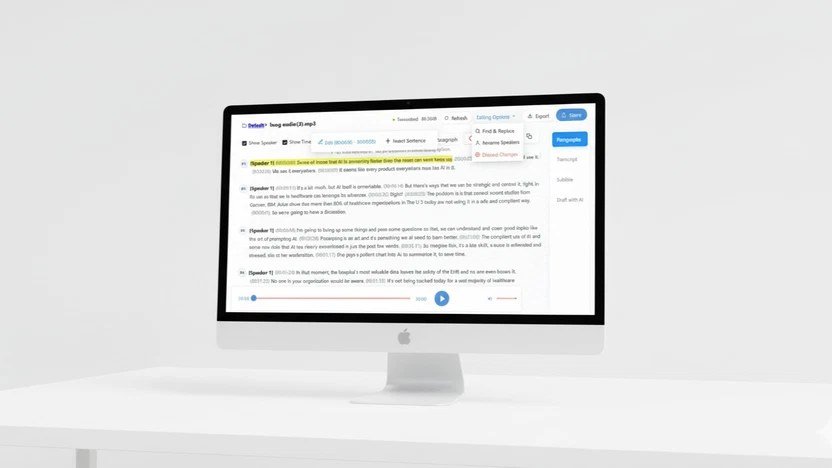
Can AI transcribe audio accurately in 2026? Short answer: yes — shockingly so, for most use cases. I’ve tested AI transcription on podcasts, meetings, interviews, lectures, and phone calls, in quiet studios and noisy cafés, with native speakers and heavy accents. The technology crossed from “useful with corrections” to “better than human transcriptionists” for standard content a while ago. But the edge cases still bite. Here’s the complete accuracy picture.
Accuracy by Scenario (My Test Results)
- Clear studio speech, native speaker: 98-99%. Effectively perfect. Better than most human transcribers.
- Video calls (Zoom/Meet quality): 96-98%. Compression artifacts barely matter anymore.
- Accented English: 92-97% depending on accent strength. Dramatically better than 2023, still the biggest variable.
- Background noise (café, street): 88-94%. Modern noise-robust models handle this far better than expected.
- Multiple speakers with crosstalk: 85-92% for words, with speaker diarization (“who said what”) at 80-90%. The hardest common case.
- Technical jargon: 90-95% with custom vocabulary; 80-88% without. Feed the tool your terms.
- Non-English languages: 90-98% for major languages, wider variance for low-resource ones.
The Best AI Transcription Tools
1. Whisper (OpenAI) — Best Accuracy Core
Whisper remains the accuracy benchmark — open-source, free, runs locally, supports 99 languages. The large models are remarkably good. It’s the engine behind many other tools. Technical to set up, but unbeatable for privacy (local processing) and cost (free).
2. Descript / Otter.ai — Best for Meetings and Content
These wrap great transcription in useful workflows — meeting summaries, action items, searchable archives. The transcription itself is excellent; the value is what happens after. Our meeting assistant guide compares the options.
3. MacWhisper / Local Tools — Best for Privacy
Running Whisper locally means audio never leaves your machine — essential for legal, medical, or confidential content. MacWhisper (Mac) and various Windows/Linux options make local transcription accessible without command-line pain.
When AI Transcription Still Fails
- Heavy crosstalk: three people talking over each other at dinner — still a mess.
- Very strong accents + noise: the combination compounds errors.
- Proper nouns: unusual names, place names, brand names. Always verify these.
- Homophones in context: “their/there/they’re” — usually right, occasionally wrong in ways that change meaning.
- Emotional nuance: sarcasm, for instance, transcribes as sincere. The words are right; the meaning needs a human.
Tips for Maximum Accuracy
- Record decent audio. A $50 mic in a quiet room beats a laptop mic in a café. Transcription accuracy starts at the microphone.
- Provide custom vocabulary. Most tools let you add names and terms — use it for technical content.
- Separate speakers when possible. Individual mics/tracks dramatically improve diarization.
- Review proper nouns. The #1 error category. A quick pass on names saves embarrassment.
- Use the transcript as a starting point for podcast editing or meeting notes — the real value is downstream.
For podcasters specifically: best AI tools for podcasters.
Can AI Transcribe Audio Accurately in 2026 for Legal and Medical Use?
High-stakes transcription — legal proceedings, medical dictation — has stricter requirements than podcast notes. Accuracy needs are higher, speaker attribution matters, and errors have consequences. Current AI transcription is excellent for clear single-speaker audio but still struggles with overlapping speech, heavy accents, and domain jargon.
For professional use: always have a human review the transcript against the audio for critical sections. Use domain-tuned models or custom vocabularies where available — adding your field’s terminology meaningfully improves accuracy. And check compliance: some jurisdictions restrict how recordings can be processed.
The technology keeps improving, but the review step is not optional for consequential transcripts. Treat AI transcription as a brilliant first draft, not a finished record. OpenAI’s speech models document current accuracy benchmarks.
Accuracy factors, ranked: audio quality matters most (clear mic, minimal background noise), then speaker count (one speaker beats five), then accents and jargon. Control what you can — record cleanly, provide custom vocabulary for technical terms — and AI transcription accuracy jumps from decent to excellent.
Speaker diarization — who said what — remains the weak point, especially with similar voices or crosstalk. For important transcripts, budget human review time for speaker labels specifically. The words will be right; the attributions need checking.
For interviews, record each speaker on a separate track when possible — it dramatically improves both transcription accuracy and editing flexibility. Separate tracks turn editing from surgery into simple cuts.
Archive transcripts with your project files: searchable text makes old recordings useful forever. Future-you will thank present-you for the organization.
The Bottom Line
Can AI transcribe audio accurately in 2026? For clear speech: yes, at 98%+ — better than human transcribers and essentially free. For challenging audio (accents + noise + crosstalk), expect 85-92% and plan to review. The technology is mature, the tools are excellent, and the remaining errors cluster in predictable places (proper nouns, crosstalk, nuance). Record well, add custom vocabulary, review names — and transcription becomes a solved problem in your workflow.



