
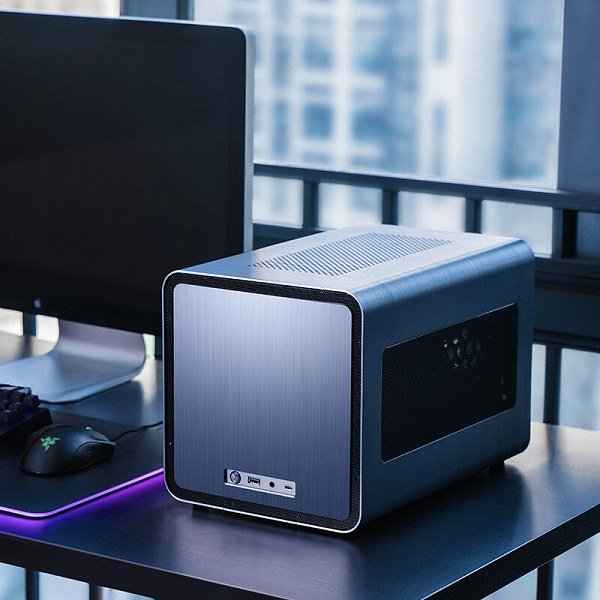
The dream: a quiet little box on your shelf running your own private AI — answering questions, managing your smart home, processing your documents — no subscriptions, no data leaving the house, available 24/7. What is the best mini PC for a home AI server in 2026? The answer depends on what you want it to do, and the most common mistake is buying more machine than your actual workload needs (or less — both happen).
What is the best mini PC for a home AI server?
What a home AI server actually does
Let’s ground this. Realistic home AI server workloads: personal LLM chatbot (your private ChatGPT, possibly with your documents loaded), voice assistant backend (local speech processing for home automation), media intelligence (photo organization, transcription of your recordings), home automation brain (smarter routines than cloud assistants allow), and experiment playground (trying models, fine-tunes, evals). Be honest about which of these you want — a chatbot-only box has very different requirements than a do-everything lab.
The spec that matters most: memory
For large language models, the binding constraint is memory — RAM or VRAM, unified or discrete. The rule of thumb: ~1GB of memory per billion parameters for quantized models. So a 7B model needs ~8GB free, a 13B needs ~16GB, a 32B needs ~32GB+, and the big 70B models need 40GB+. Everything else (CPU speed, storage type) is secondary for inference. This single fact determines your entire purchase: buy memory first, everything else second.
The tiers
Tier 1: The repurposed machine (free–$200)
That old laptop or desktop in your closet? Install Linux, add a local LLM app, and you have a home AI server today. It’ll run 7B models slowly but usably. This is the correct starting point — prove the habit before spending money. If you use it daily for a month, upgrade with confidence.
Tier 2: High-RAM mini PCs ($400–$900)
Modern small form factor PCs with 32-64GB RAM (some support 96GB+) hit the sweet spot: they run 13B-32B models entirely in system RAM at acceptable speeds, sip power (important for 24/7 operation — 15W idle vs. 150W for a GPU rig adds up), and sit silently on a shelf. The Apple Silicon Mac mini deserves special mention here — unified memory architecture means a 24GB+ configuration runs surprisingly large models efficiently, and the power efficiency is unmatched. For the chatbot-plus-documents workload, this tier is the value king.
Tier 3: Mini PCs with real GPUs ($1,000–$2,500)
Compact machines with discrete GPUs (or eGPU setups) for those who want speed: 24GB VRAM cards run excellent mid-size models fast, and multi-GPU compact workstations handle the big ones. Louder, hungrier, faster. Justified when: you run AI workloads for hours daily, you need sub-second response, or you’re doing fine-tuning experiments. Overkill when: you chat with your AI for 20 minutes a day.
Tier 4: The homelab rack (enthusiast territory)
Used enterprise GPUs, multi-node setups, the full homelab. Enormous capability, enormous power bills, and a hobby in itself. Fun if the infrastructure is the hobby; wasteful if you just want a chatbot.
What to actually buy: decision guide
- Start with what you have. Seriously. The repurposed tier teaches you your real usage patterns.
- Size memory to your model. Decide which model class you want (7B casual / 13-32B serious / 70B enthusiast), add OS headroom, buy that much RAM. Everything else follows.
- Prioritize silence and efficiency for 24/7 boxes — fanless or near-silent designs, low idle wattage. You’ll thank yourself at 3 a.m.
- Don’t forget storage speed for model switching. Models are gigabytes; an NVMe SSD makes swapping models painless, a spinning disk makes it a coffee break.
- Plan the software stack: a chat UI, document ingestion for RAG over your files, and remote access (Tailscale or similar) so your home AI follows you. The hardware is half the project.
Costs beyond the box
Electricity: a 15W mini PC costs a few dollars a month to run 24/7; a 400W GPU rig costs real money — calculate yours. Your time: expect a weekend of setup and occasional maintenance; this is a hobbyist-adjacent project, not an appliance. Upgrades: the model landscape moves fast, but a high-RAM box stays relevant for years since memory requirements are stable.
Is it worth it?
Honest assessment: if you just want a chatbot, your laptop plus local LLMs for beginners is enough — skip the server. The home AI server earns its keep when you want always-on availability, household-wide access, automation integration, or the satisfaction of digital independence. It’s part utility, part statement: your AI answers to you, runs on your shelf, and keeps your data in your house. For the model side, local multilingual models matter if your household isn’t English-only, and GPUs for local AI covers the accelerator question if you go Tier 3. Start free, prove the habit, then buy exactly as much box as your usage justifies.



