
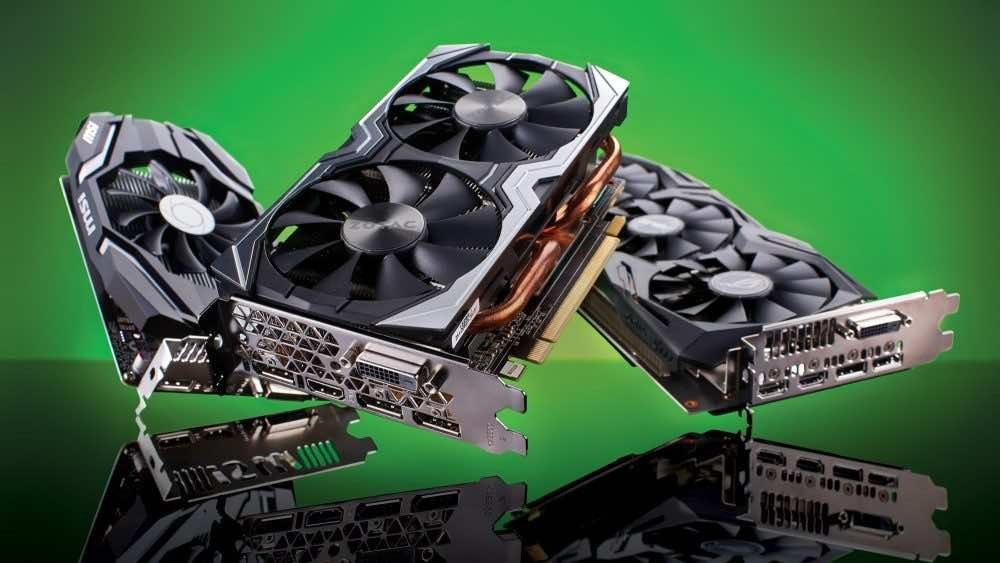
Shopping for a GPU for AI in 2026 feels like buying a car where the only spec anyone mentions is the cupholders. What GPU is best for running local AI models? The answer is simpler than the forums make it: for LLM inference, one spec dominates everything else — VRAM capacity. Get that right and the rest is details. Get it wrong and you own an expensive paperweight.
What GPU is best for running local AI models?
The one rule: VRAM is everything
Running a language model means loading its weights into GPU memory. A quantized model needs roughly 0.5-1GB of VRAM per billion parameters (depending on quantization level). So: 8B models fit in 8-12GB, 13B models want 16GB, 32B models need ~24GB, 70B models need 40GB+ (multiple GPUs or serious quantization). If the model doesn’t fit in VRAM, it spills to system RAM and slows to a crawl — the single most common disappointment in local AI. Buy VRAM capacity first. Worry about compute speed second. A slower GPU with 24GB beats a faster GPU with 12GB for local LLMs, every time.
The tiers, honestly
Budget: work with what you have (0$)
Any recent GPU with 8GB+ VRAM runs 7-8B quantized models acceptably. Before buying anything, try your current card — you might already be equipped for the beginner experience. Integrated graphics and Apple Silicon use unified memory (see below) — different math, same principle.
Sweet spot: 16-24GB VRAM ($500-$1,200)
This is where serious local AI lives for most people. 24GB cards run excellent 32B-class models — the point where local quality gets genuinely impressive for writing, coding, and analysis. 16GB handles 13B models well. If you’re buying one GPU for local AI in 2026, buy in this tier. The price-to-capability ratio is unmatched, and these cards also game well, which helps justify the purchase to yourself.
Enthusiast: 24GB+ and multi-GPU ($1,500+)
For 70B-class models at good speed: either a single 48GB professional card (expensive, efficient, quiet-ish) or multiple consumer 24GB cards (cheaper per GB, louder, hungrier, more fiddly). The used market deserves mention — previous-generation high-VRAM cards offer excellent value for inference, since LLM inference doesn’t need the latest architecture’s training optimizations. Just verify the card wasn’t abused for mining (ask for proof, check thermals).
The Apple Silicon alternative
Apple’s unified memory architecture changed the math: a Mac with 32-64GB unified memory runs large models using system RAM at speeds that embarrass the VRAM-per-dollar calculation. No discrete GPU needed, silent operation, trivial setup. If you’re already in the Apple ecosystem and want local AI without building a PC, high-memory Apple Silicon is arguably the best value in local AI computing right now.
Beyond the GPU: the supporting cast
- System RAM: 32GB minimum for serious local AI (the OS, the app, and overflow all need room). 64GB if you’re ambitious.
- Storage: Models are 5-40GB each; you’ll collect several. 1TB NVMe minimum, 2TB comfortable.
- Power supply: Size it for the GPU’s real draw plus headroom — underpowered PSUs cause the mysterious crashes everyone blames on drivers.
- Cooling and noise: Inference loads are sustained, not bursty like gaming. Your GPU will sit at high utilization for minutes or hours — plan cooling for that, especially in shared spaces.
- Electricity: A 300W GPU running hours daily shows up on the power bill. Undervolting is free performance-per-watt; look into it.
What about the cloud instead?
Fair question, and the honest math: a $1,000 GPU equals ~3-4 years of a $20-30/month AI subscription. If your usage is light, the cloud wins on economics alone. The GPU wins on privacy, unlimited usage, offline capability, and the satisfaction of ownership. Local vs cloud AI has the full framework — don’t buy hardware to save money on a subscription you barely use.
Getting started after the purchase
Used GPUs: the smart money
The best value in AI computing is often second-hand. Previous-generation high-VRAM cards sell for a fraction of their launch price, and for LLM inference (as opposed to training), older architectures remain highly capable — inference doesn’t need the latest tensor-core tricks, just memory bandwidth and capacity. The buying checklist: verify VRAM amount (the whole point — don’t compromise here), check thermals (ask for temperature screenshots under load; mining-abused cards run hot), prefer blower/reference designs for multi-GPU setups (they exhaust heat out the case), confirm power connectors your PSU supports, and buy from sellers with returns. A used 24GB card at half the new price is the single smartest purchase in local AI. Let gamers pay the early-adopter tax on new releases; inference rewards the patient.
Install your chosen local AI app (local LLMs for beginners covers setup), download a model sized to your VRAM, and run the standard tests: writing help, summarization, a coding question, a long document. If you’re building the always-on dream, mini PCs for home AI servers cover the compact 24/7 angle. And remember the golden rule one more time: it’s the VRAM, not the model number, that determines your local AI life. Buy memory, get intelligence.



