
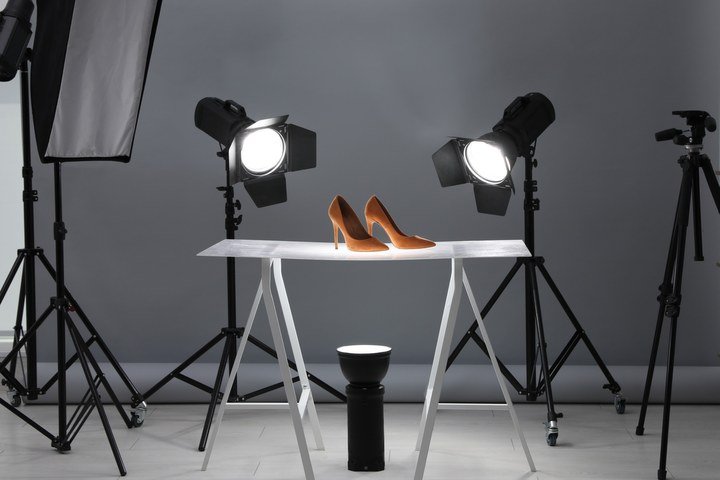
Learning how to create AI product photos can save small businesses thousands in photography costs — or level up your existing product imagery dramatically. A professional product shoot runs $500–$5,000+ per session; AI can generate studio-quality product shots in minutes. But there’s a real craft to making them look believable and on-brand rather than obviously synthetic. Here’s the complete workflow.
Three Approaches to AI Product Photos
1. Pure generation (text-to-image)
Describe the product and the desired scene; the AI generates everything. Fastest, cheapest, least accurate — the product itself may not match your actual item in details. Best for: conceptual mockups, lifestyle scenes where exact product fidelity matters less, early-stage brands without photography budgets.
2. AI background replacement (the sweet spot)
Photograph your actual product (even with a phone on a white background), then use AI to replace the background with stunning scenes — marble countertops, tropical beaches, luxury interiors. The product stays pixel-accurate because it’s your photo; only the environment is generated. This is the professional workflow most e-commerce brands actually use, and it produces the most trustworthy results.
3. Full AI photoshoots with reference images
Feed the AI reference photos of your product and generate it in new scenes, angles, and contexts. Advanced tools maintain product consistency across generations remarkably well now. Best for: catalogs needing dozens of lifestyle shots, seasonal campaigns, A/B testing different presentations.
How to Create AI Product Photos: The Workflow
Step 1: Start with good source material
For approaches 2 and 3, photograph your product cleanly: even lighting, plain background, sharp focus, multiple angles. Phone cameras are fine — the AI handles the glamour; you handle the accuracy. Remove the background (automated tools do this well) to get a clean product cutout.
Step 2: Design the scene with intention
The biggest mistake in AI product photography is random pretty backgrounds. Instead, think like an art director:
- Match your brand. Minimalist brand? Clean, sparse scenes. Adventure brand? Dramatic landscapes. The background should feel like your brand’s world.
- Consider the context of use. Show the product where customers use it — skincare in a bathroom scene, headphones in a commute scene, cookware in a kitchen. Context sells.
- Light consistently. The AI background’s lighting should match your product photo’s lighting direction and warmth, or the composite looks fake. This is the detail that separates amateur from professional results.
- Leave breathing room. E-commerce images need space for text overlays, cropping to different aspect ratios, and thumbnail legibility. Don’t fill every pixel.
Step 3: Generate and composite
Use your product cutout with AI background generation, or prompt full scenes with product references. Generate multiple options — backgrounds are cheap, so explore. Key prompt elements: scene description, lighting direction and quality, surface materials, depth of field, color palette matching your brand.
Step 4: Refine like a retoucher
Professional AI product photos get post-processing: match color temperature between product and background, add realistic shadows under the product (the #1 giveaway of bad composites is floating products with no shadow), adjust reflections on glossy products, and ensure consistent grain/noise. Our guide to making AI images not look fake covers these realism techniques in depth.
Category-Specific Tips
- Cosmetics and skincare: water droplets, soft natural light, marble and botanical backgrounds. Keep the product label readable — blur or distortion on text destroys trust.
- Food and beverage: appetite appeal is everything. Warm lighting, steam, fresh ingredients as props. AI is surprisingly good at food styling; verify the food looks appetizing, not plastic.
- Fashion and apparel: ghost-mannequin or flat-lay AI scenes work well. For worn garments, consider AI model generation — but disclose appropriately and watch for the uncanny valley.
- Electronics: clean, minimal, premium. Dark backgrounds with rim lighting read as high-end. Reflections must be physically plausible.
- Furniture and home: room scenes sell scale and lifestyle. Ensure proportions look right — AI sometimes generates furniture at subtly wrong scales relative to rooms.
Honesty and Disclosure
AI product photos raise legitimate trust questions: if the photo doesn’t show the actual product in a real setting, is it deceptive? The industry consensus: AI-enhanced presentation (better backgrounds, ideal lighting) is standard marketing, like traditional retouching. But the product itself must be accurately represented — its color, size, features, and condition. Never let AI “improve” the product beyond reality; that’s false advertising regardless of the tool used. For client work, our guide to using AI images in client work ethically covers the professional standards.
Scaling Up: Bulk Product Imagery
Once the workflow clicks for one product, it scales beautifully: consistent backgrounds across a catalog, seasonal variations generated in batches, A/B testing different scenes. Our guide to generating images in bulk with AI covers the automation side. The key to bulk quality is locking your style parameters — same lighting direction, same color grading, same composition rules — so 500 product shots look like one coherent brand, not 500 random generations.
For more background, see Adobe Firefly.
The Takeaway
AI product photography works best as a hybrid: your real product, AI-generated environments, professional retouching to blend them seamlessly. Start with clean product photos, art-direct the scenes intentionally, nail the lighting match and shadows, and never misrepresent the product itself. Done right, customers see beautiful, trustworthy imagery — and your photography budget drops by an order of magnitude.




1 Comment