
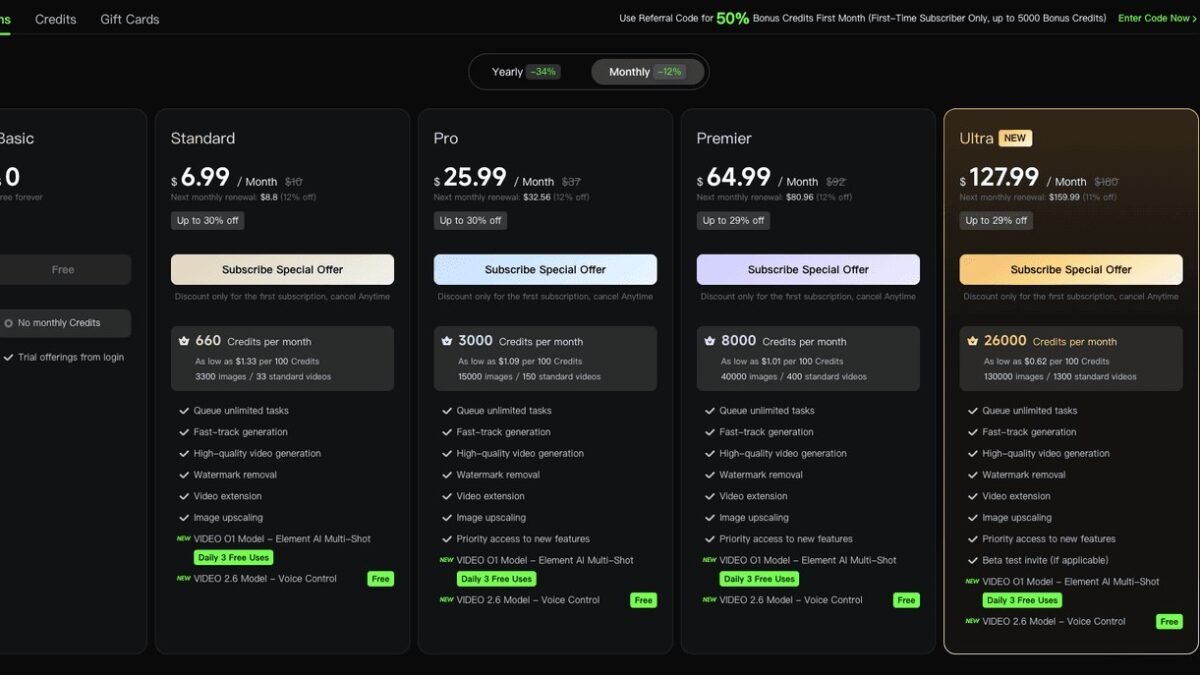
How much does Sora cost? It’s the first question most people ask about OpenAI’s video generation model — and the answer depends on how you access it, how much you generate, and what quality you need. Video generation is computationally expensive, so pricing reflects real GPU costs. Here’s the complete breakdown of Sora pricing in 2026 and how to get the most value.
How Much Does Sora Cost? The Access Tiers
Sora is available through several channels with different pricing structures:
ChatGPT subscription integration
The most common access path: Sora video generation bundled into ChatGPT paid tiers. Higher tiers include more video generations per month, longer maximum durations, and higher resolutions. The subscription model means predictable monthly costs — good for regular creators who generate consistently. Check OpenAI’s current plans for exact generation allowances, as these evolve.
Standalone / app access
Dedicated Sora interfaces may offer their own pricing — sometimes subscription, sometimes credit-based. Credit systems charge per generation based on duration and resolution: longer, higher-resolution videos cost more credits. This suits sporadic users better than subscriptions — pay for what you generate, nothing more.
API pricing
For developers: per-second or per-generation pricing, typically tiered by resolution and duration. API access suits applications generating video programmatically — custom tools, automated content pipelines, integrated products. Volume discounts usually apply at scale.
What Drives the Cost
- Duration: longer videos cost proportionally more — a 60-second clip costs roughly 10x a 6-second one. This is the biggest cost driver.
- Resolution: higher resolutions multiply compute requirements. 1080p costs notably more than 720p.
- Quality settings: premium quality modes use more diffusion steps — better results, higher cost.
- Iterations: the hidden cost. Generating 4 variations to get 1 keeper quadruples your effective per-video cost. Budget for iteration, not just finals.
How Much Does Sora Cost in Practice? Realistic Budgets
Casual explorer
A few videos per month for fun or learning: the base subscription tier suffices. Think tens of dollars monthly — comparable to other AI subscriptions.
Content creator (regular)
Weekly video content with AI-generated clips: mid-tier subscription or moderate credit purchases. Budget $20–100/month depending on volume and quality needs. Our guide to growing a YouTube channel with AI helps evaluate the ROI.
Professional / agency
Client work, campaigns, high-volume production: higher tiers or API access with volume pricing. Costs scale with output — hundreds per month for serious production, but trivial against traditional video production budgets (a single day of professional shooting costs more than months of Sora).
The comparison that matters
Traditional video production: $1,000–$10,000+ per finished minute for professional work. Stock footage: $50–500 per clip. Sora: cents to dollars per generated clip. Even with iteration waste factored in, AI video generation is orders of magnitude cheaper than traditional production for suitable content. The cost question isn’t “is Sora expensive” — it’s “expensive compared to what.”
Getting Maximum Value
- Plan before generating. Storyboard your needs; generate with purpose. Random experimentation is the budget killer.
- Generate short, extend selectively. Test concepts with short cheap generations; commit to longer renders only for winners.
- Lower resolution for drafts. Iterate at 720p, render finals at 1080p+. Resolution is a dial, not a fixed cost.
- Batch similar generations. Sessions focused on one project waste less than scattered experimenting.
- Learn prompting well (our Sora guide: how to use Sora) — better prompts mean fewer wasted iterations, which is the real cost saver.
- Consider the subscription vs. credits math for your usage pattern: regular = subscription, sporadic = credits.
- Reuse and repurpose. One good generation can serve multiple projects with different edits — our repurposing guide (repurposing videos) maximizes asset value.
Free and Cheaper Alternatives
- Other AI video tools (Runway, Luma, Kling, Pika) offer free tiers with limited generations — good for testing the waters or light use.
- Open-source video models run locally: free after hardware, unlimited generation. Quality trails Sora but improves steadily.
- Hybrid approaches: generate key visuals as images (cheap), animate selectively (our image-to-video guide: image to video) — video costs only where motion matters.
Cost Trajectory: Where Prices Are Heading
The long-term trend favors users: video generation costs have fallen dramatically as models become more efficient and competition intensifies. What costs dollars per clip today will cost cents within a couple of years — the same curve image generation followed. This means two things for planning: don’t over-invest in optimizing today’s prices (they’ll look quaint soon), and do invest in learning the workflows (those compound regardless of price). The creators who’ll benefit most from falling costs are the ones with production systems ready to scale when generation becomes nearly free.
For more background, see OpenAI’s Sora page.
The Takeaway
Sora costs range from affordable subscriptions for casual use to scaled API pricing for professionals — with the real budget driver being iteration, not sticker price. Plan generations, iterate at lower resolutions, learn prompting to reduce waste, and compare against traditional video costs (where Sora wins by orders of magnitude). For most creators, the question isn’t whether they can afford Sora — it’s whether they can afford not to use it for suitable content.



