
The Best AI Transcription Tools in 2026
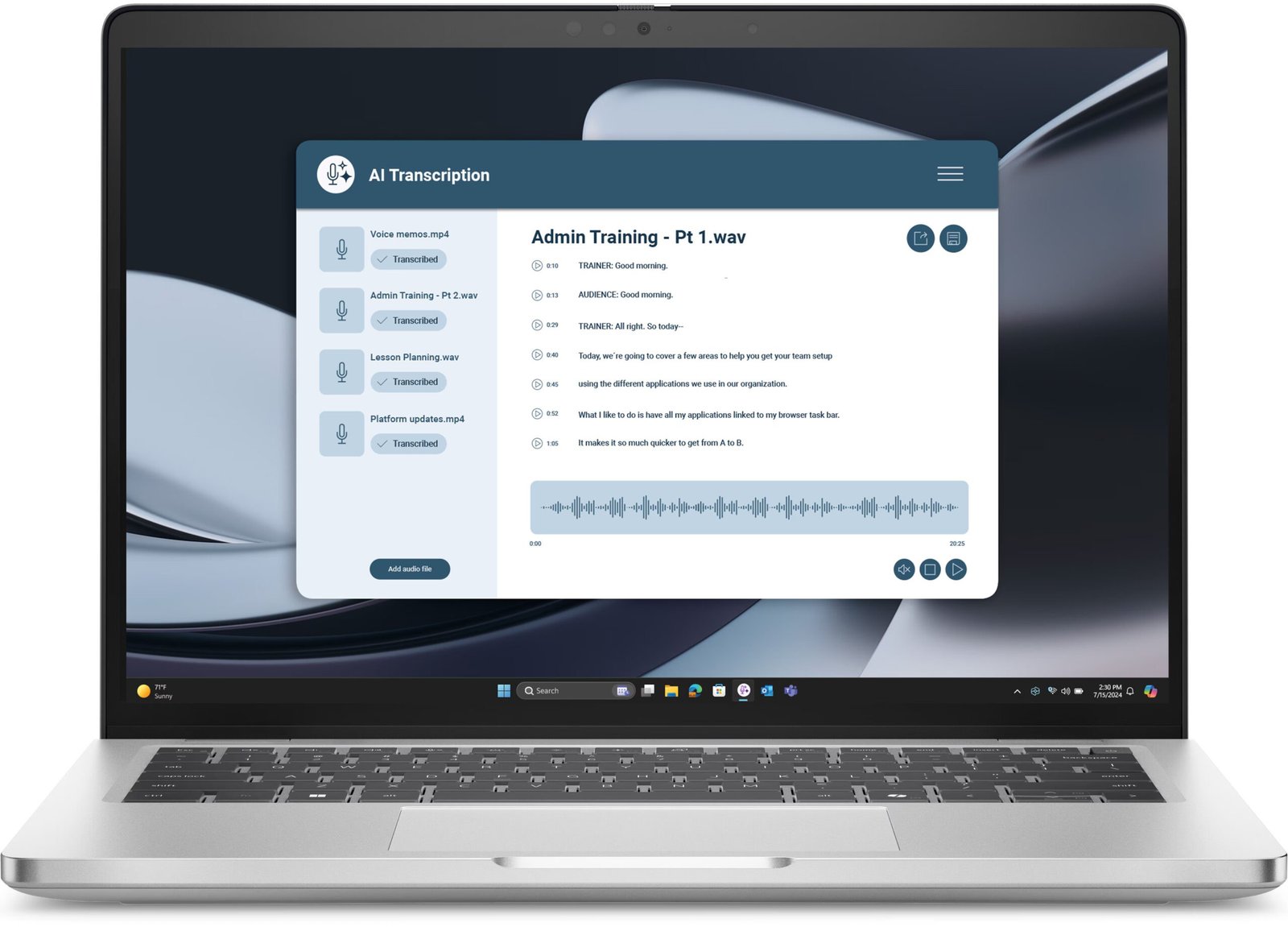
The best AI transcription tools in 2026 turn hours of audio into accurate, searchable, summarized text in minutes. Meetings, interviews, podcasts, lectures, doctor’s notes — if it was spoken, AI can transcribe it, identify speakers, and even pull out action items.
We tested accuracy on challenging audio (accents, crosstalk, technical jargon) and judged workflow features: how fast you go from recording to usable notes.

Quick Comparison
| Tool | Best For | Accuracy | Free Tier | Starting Price |
|---|---|---|---|---|
| Otter.ai | Best overall meetings | Excellent | Yes | $16.99/mo |
| Rev | Best human + AI accuracy | Best (human) | AI: pay per min | $0.25/min AI |
| Descript | Best for creators | Excellent | Yes | $16/mo |
| Notta | Best multilingual | Very good | Yes | $13.49/mo |
| Fireflies.ai | Best meeting integrations | Very good | Yes | $10/mo |
| Trint | Best for journalists | Excellent | Trial | $48/mo |
| MacWhisper / Whisper | Best free/offline | Excellent | Yes (free) | Free |
| Google Recorder | Best free mobile | Very good | Yes | Free (Pixel) |
1. Otter.ai — Best Overall for Meetings
Otter joins your calls automatically, transcribes live with speaker labels, and generates summaries with action items. The searchable archive means “what did we decide about the launch date?” is answerable in seconds, months later. The free tier covers casual use; paid plans unlock the integrations that make it indispensable. Details at otter.ai — full test notes in our Otter.ai review.
Best for: professionals living in meetings.
Honest con: free minutes run out fast for heavy users.
2. Rev — Best Accuracy (Human + AI)
When accuracy is non-negotiable — legal proceedings, medical notes, publishable interviews — Rev’s human transcription (99% accuracy guaranteed) remains the gold standard. Its AI option is fast and cheap for drafts. Use AI for everyday, humans for critical.
Best for: accuracy-critical transcription.
Honest con: human transcription costs $1.50+/minute and takes hours.
3. Descript — Best for Creators
Descript transcribes your audio/video into an editable text document — delete a sentence of text and the corresponding audio vanishes. Podcasters and YouTubers edit content like a Word doc, then export polished media. Its Overdub voice cloning fixes flubbed words in your own voice. Revolutionary for creators. Our Descript review covers the latest features.
Best for: podcasters and video creators.
Honest con: overkill if you just need plain transcripts.
4. Notta — Best Multilingual Transcription
Notta transcribes in 58 languages with real-time translation — genuinely useful for international teams and researchers working across languages. Its meeting integrations and AI summaries round out a strong package at competitive pricing.
Best for: multilingual teams and international work.
Honest con: English accuracy slightly trails Otter.
5. Fireflies.ai — Best Meeting Integrations
Fireflies plugs into every conferencing platform and CRM, auto-joining meetings and pushing summaries to Slack, Notion, or Salesforce. Its topic tracking (“show me every mention of the Q3 budget”) is powerful for managers overseeing many conversations.
Best for: sales teams and CRM-heavy workflows.
Honest con: interface less polished than Otter’s.

6. Trint — Best for Journalists
Trint is built for media workflows: fast transcription, collaborative editing, and one-click export of quotes with timecodes. Newsrooms and documentary teams rely on its speed when deadlines loom. Pricey, but time is money in media.
Best for: journalists and media producers.
Honest con: premium pricing aimed at professionals.
7. MacWhisper / OpenAI Whisper — Best Free and Offline
OpenAI’s open-source Whisper model delivers excellent transcription free — and tools like MacWhisper run it entirely offline on your device. No subscriptions, no uploads, total privacy. For sensitive recordings or bulk files on a budget, this is the insider pick.
Best for: privacy, bulk files, and zero budget.
Honest con: no meeting integrations or speaker labels out of the box.
8. Google Recorder — Best Free Mobile Option
Pixel’s Recorder app transcribes offline in real time, fully searchable, completely free. Interviews, lectures, ideas on the go — it just works. Non-Pixel users can try similar features in Samsung’s voice recorder or third-party apps.
Best for: on-the-go recording at no cost.
Honest con: best experience limited to Pixel devices.
Getting Accurate Transcripts: Practical Tips
- Recording quality matters more than the tool. A $30 lav mic beats any AI upgrade.
- Minimize crosstalk — overlapping speech is every transcriber’s kryptonite.
- Add custom vocabulary (names, jargon, product terms) where the tool allows it.
- Budget cleanup time: expect 10–15 minutes of fixes per hour of difficult audio.
Beyond Convenience: Accessibility and Compliance
Transcription isn’t just a productivity hack — for many organizations it’s a legal and ethical requirement, and AI has made compliance dramatically cheaper.
Accessibility obligations
Video content without captions excludes deaf and hard-of-hearing audiences — and in many jurisdictions (including under the ADA in the US), it’s a legal liability for businesses, educators, and government. AI captioning that took hours manually now takes minutes. The standard to hit: 99% accuracy for broadcast/legal contexts (which means AI draft plus human review), versus “good enough” AI-only captions for casual social content.
Meeting records and compliance
Regulated industries (finance, healthcare, legal) increasingly require accurate records of client conversations. AI transcription with speaker identification and timestamps creates defensible records automatically — but check your retention and privacy obligations: some regulations dictate how long recordings must be kept and who can access them. Your transcription tool’s security certifications (SOC 2, HIPAA compliance where relevant) matter here.
Turning Transcripts Into a Knowledge Asset
Most transcripts get read once and forgotten. The power users we observed treat them as a compounding knowledge base.
- Searchable decisions: route meeting summaries into a shared wiki or Notion database. Six months later, “why did we choose this vendor?” is answerable in seconds — ending the re-litigation of settled decisions.
- Voice-of-customer mining: sales and support transcripts are pure customer language. Feed them to AI periodically and ask “what objections came up most this quarter?” or “what features did customers request?” — it’s like free market research running continuously.
- Content repurposing: webinars, interviews, and internal talks become blog posts, FAQs, and training materials. One recorded hour routinely yields a week of derivative content with AI assistance.
- Onboarding acceleration: new hires reading three months of meeting summaries absorb context that used to take quarters of osmosis. Several teams we spoke to cut onboarding time measurably this way.
The pattern: transcription captures the raw material, but the value comes from what you do with the archive. Set up the pipeline once — auto-transcribe, auto-summarize, auto-file — and the asset builds itself.
Frequently Asked Questions
What is the most accurate AI transcription tool?
For pure AI, Otter.ai and Descript lead on accuracy. For guaranteed accuracy, Rev’s human transcription (99%) is unmatched. OpenAI’s Whisper model, free via tools like MacWhisper, is surprisingly close to paid options.
Can AI transcribe meetings automatically?
Yes — Otter.ai, Fireflies.ai, and Notta auto-join Zoom, Meet, and Teams calls, producing transcripts, summaries, and action items without you lifting a finger.
Is there a free AI transcription tool?
Yes: Otter.ai and Fireflies.ai have free tiers, MacWhisper/Whisper is completely free and offline, and Google Recorder is free on Pixel phones.
How accurate is AI transcription in 2026?
Top tools hit 90–95% accuracy on clear audio, dropping with accents, jargon, and crosstalk. Always proofread critical transcripts — AI is fast, not perfect.
The Bottom Line
The best AI transcription tools in 2026 — Otter.ai, Descript, Rev, and Whisper-based free tools — have made manual transcription obsolete. Pick based on your workflow (meetings, creation, or accuracy-critical), invest in a decent mic, and reclaim the hours you used to spend typing out recordings. For meeting-specific setups, see how to transcribe meetings automatically with AI and our best AI meeting assistants roundup.



