
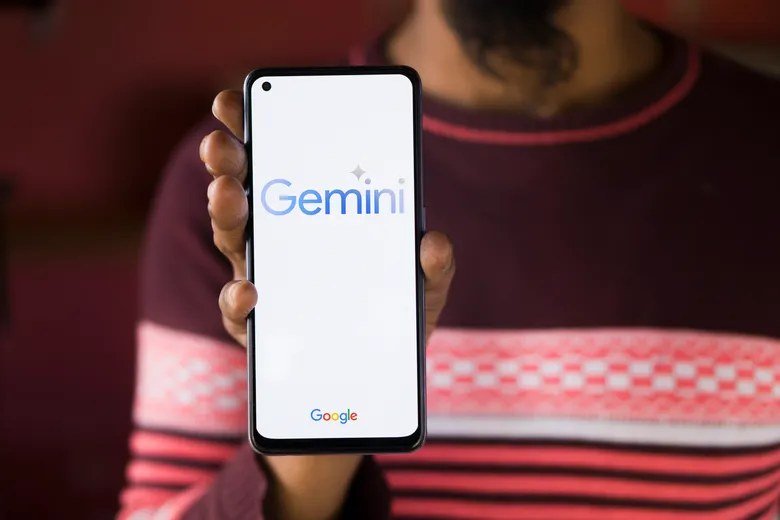
Here’s the open secret: if you have a Gmail address, you already have free AI. How to get Gemini for free with a Google account takes about 30 seconds — no new signup, no credit card, no trial period. But most Google account holders still haven’t activated it. Here’s the walkthrough plus what to do once you’re in.
How to Get Gemini for Free With a Google Account: Steps
- Go to gemini.google.com
- Sign in with your existing Google account (the same one you use for Gmail)
- Accept the terms if prompted
- Start chatting — you’re done
No separate Gemini account, no additional verification, no payment details. Your Google account is your Gemini account.
Where Free Gemini Lives (Beyond the Website)
- Android: Gemini app or Google app — often preinstalled or one tap away
- iPhone: Gemini app from the App Store
- Gmail/Docs/Drive: Gemini features inside Workspace apps (availability varies)
- Chrome: address-bar shortcuts and side panel integrations
You don’t need to “install AI” — it’s already woven through Google’s products. The website is just the front door.
What Your Free Account Gets You
- Gemini Flash models — fast, capable, generous limits
- Image generation and image analysis
- Voice conversations (Gemini Live, tier-dependent)
- Long context window for documents
- Google service integration — Maps, YouTube, Gmail context
- Real-time web grounding via Google Search
This isn’t a teaser — it’s a complete AI assistant. What Gemini is covers the full capability picture; the short version is that free covers most people’s needs.
Account Tips Worth Knowing
- Age requirements: Google accounts for younger users may have restricted AI access — check Family Link settings if it’s missing
- Workspace accounts: school/work Google accounts depend on admin settings — if Gemini’s absent, ask your admin
- Multiple accounts: personal vs. work separation works — sign into the right one for the right context
- Privacy controls: review activity settings — how Gemini handles context and memory affects what persists
- Upgrade path: free trials of the paid tier exist when you’re ready to test Pro models
Your Google Account Is Already a Gemini Account
Here’s what many people miss: if you have a Google account, you already have free Gemini access. No separate signup, no new password, no credit card. The setup:
- Web: visit the Gemini web app → sign in with Google → done. Thirty seconds.
- Mobile: open the Google app → tap the Gemini tab → done. You probably have the app already.
- That’s it. There is no step 3.
What your Google account includes free: the capable Gemini assistant, image generation, long-context conversations, voice mode, and web-grounded answers. Google’s strategy is ecosystem lock-in through generosity — take the deal.
Maximizing the Free Google-Account Experience
- One account everywhere: use the same Google account on all devices — conversations sync seamlessly.
- Explore the integrations: even free tier connects with Google Search grounding — ask current-events questions freely.
- Try the voice mode: Gemini Live offers conversational voice — a standout feature many users overlook.
- Generate images: free image generation is included — experiment without cost anxiety.
- Go long: the large context window applies to free users — upload substantial documents.
Frequently Asked Questions
Do I need a new account for Gemini?
No — your existing Google account works. Creating a separate account fragments your history for no benefit.
Is it really free forever?
The free tier is permanent, not a trial. Google monetizes via paid upgrades, not free-tier expiration.
What about Workspace accounts?
Google Workspace accounts may have admin-controlled AI access — check with your administrator if features seem restricted.
Can I use it without a Google account?
No — sign-in is required. The account is the price of the free tier (and it’s a price most people already pay).
Account Hygiene for AI Users
- One account: don’t fragment across multiple Googles — consolidation aids sync.
- Review activity controls: myactivity.google.com — know what’s saved.
- Enable 2FA: your Google account now holds AI conversations — secure it properly.
- Separate work/personal if needed — different accounts, different data.
Your Google account is now your AI identity — treat its security accordingly.
Family and Shared Devices
On shared devices, use separate Google accounts or browser profiles — Gemini history is account-linked, and mixing contexts creates confusion (and privacy issues). Two taps to switch profiles beats untangling merged histories.
You’re already in: if you’re reading this with a Google account, free Gemini is 30 seconds away. The only reason not to try it is not knowing it exists — and now you know.
The Takeaway
Gemini free with a Google account = visit gemini.google.com, sign in, chat. Thirty seconds, zero cost, no catch. It lives across web, mobile, and Workspace — check the app on your phone too. Given how capable the free tier is, there’s no reason any Google user shouldn’t have it activated. Do it now, then ask it something you’ve been meaning to look up — that’s the fastest way to make it a habit. Start at gemini.google.com.




1 Comment