
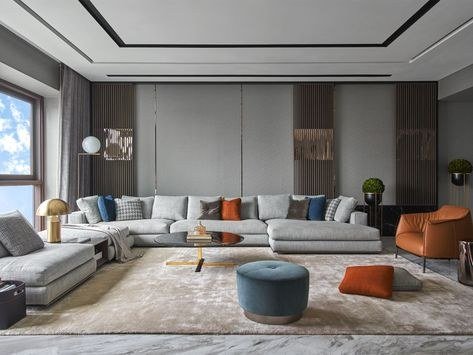
Redecorating used to require either imagination or money — ideally both. Now you can photograph your living room, type “Scandinavian minimalism, warm oak, keep the windows,” and see the transformation in seconds. What is the best AI for interior design mockups in 2026? The field split into distinct tools for distinct jobs, and picking the right category matters more than picking the right app.
What is the best AI for interior design mockups?
The three jobs (and the tools for each)
1. Restyle your actual room (photo-to-photo)
Upload a photo of your real space; AI reimagines it in a new style while keeping the room’s geometry. This is the most magical category and the most useful for homeowners — you’re looking at your room, not a fantasy. The best tools preserve architectural features (windows, doors, proportions) while transforming finishes, furniture, and decor. Quality check: does the “after” still look like the same room? Tools that warp your walls into a different apartment are entertainment, not design.
2. Virtual staging (empty room to furnished)
The real-estate powerhouse. Empty listing photos get furnished virtually — and in 2026, the good tools do it convincingly enough that listings with AI staging measurably outperform empty ones. The ethics matter here: staged photos should be labeled as virtually staged (many jurisdictions now require it), and the staging shouldn’t misrepresent the space’s size or features. For agents, this replaced physical staging for most mid-market listings — thousands of dollars saved per property.
3. Generate from scratch (text/plan to room)
Describe the room or upload a floor plan; get finished designs. Best for: exploring styles before committing, generating concepts for clients, and new-build visualization where no photo exists yet. Pairs naturally with AI for architectural visualization on the professional side.
What the best tools get right
- Geometry preservation: The room stays the room. This is the technical dividing line between toys and tools.
- Style coherence: Not just “modern” slapped on everything, but genuinely different design languages — Japandi vs. industrial vs. coastal, each with appropriate materials, palettes, and furniture vocabularies.
- Shoppable outputs: The killer feature maturing in 2026 — mockups linked to actual purchasable furniture. “I love that sofa” leads to where to buy it. This closes the loop from inspiration to purchase, and AI tools for e-commerce are converging on the same idea from the retail side.
- Iterative refinement: “Keep everything but change the rug to something bolder” — conversational editing of the mockup, not regenerating from scratch each time.
Where AI mockups still fall short
Let’s be honest about the gaps. Scale and proportion: AI routinely suggests furniture that wouldn’t fit or blocks traffic flow — it doesn’t understand that humans need to walk through rooms. Lighting reality: that sun-drenched render assumes your north-facing apartment gets Mediterranean light. Budget blindness: AI will happily design a $50,000 room when you have $5,000. Taste convergence: uncritical use produces the same five Pinterest styles; genuinely personal spaces still need a human eye. And no structural sense: it might suggest removing “that wall” without knowing it’s load-bearing. Please don’t remove walls based on AI mockups.
The workflow that works
- Start with constraints, not dreams. Budget, must-keep items, room dimensions, light direction. Feed these in first — constraints improve AI output enormously.
- Generate broadly, then narrow. Three wildly different styles first. You learn what you actually like by seeing what you don’t.
- Reality-check the winner. Measure your room. Price the key pieces. Check the light. The mockup is a hypothesis; verify it.
- Use it as a communication tool. The highest-value use might be showing your partner, contractor, or designer exactly what you mean — “this, but with the blue sofa” ends more arguments than any words.
For design professionals
If you do this for a living, AI mockups are now client-communication infrastructure: generate options live in meetings, iterate in real time, and spend your expertise on the decisions AI can’t make — spatial flow, material quality, the client’s actual life. The designers thriving aren’t the ones resisting the tools; they’re the ones whose consultations got dramatically more productive. Your value was never in the rendering — it was always in the judgment. The interior design profession is discovering what every creative profession is discovering: OpenAI‘s models and their open-source cousins commoditize production and premium-ize taste. Be the taste.
Budget reality: what mockups save (and cost)
Let’s talk money. Professional interior rendering used to run hundreds per image; AI mockups cost pennies per generation on subscription tools. For homeowners, that means exploring 20 styles for the price of one traditional rendering — the economic barrier to exploring has essentially vanished. But watch the hidden costs: the subscription you forget to cancel, the “AI-designed” furniture list totaling triple your budget, and the most expensive one — falling in love with a mockup that’s structurally or financially unrealistic, then paying a designer to walk it back. Use AI for exploration (cheap, abundant) and spend real money on the reality check (a designer hour, a contractor quote) before committing. That’s the budget-smart division.
And if you want maximum control over the imagery itself — custom styles, consistent characters across a project, fine-grained art direction — the local route via photorealistic checkpoint models gives you a private studio with infinite patience. Either path beats staring at a blank room wondering where to start.



