
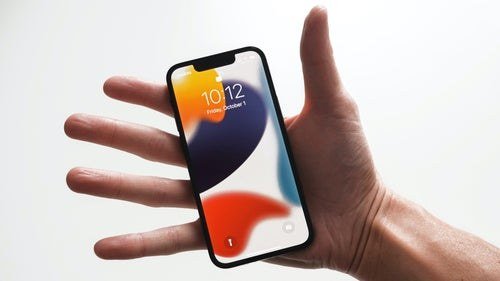
iPhone users live in Apple’s walled garden, which makes the assistant question interesting: the built-in option is deeply integrated but historically less capable, while the smartest AIs live one app-icon away. Which AI assistant is best for iPhone users in 2026? Apple’s AI push changed the calculus — but the answer still depends on what you ask your phone to do.
Which AI assistant is best for iPhone users?
Siri in 2026: the honest assessment
Apple’s assistant got its biggest upgrade ever with Apple Intelligence integration — better language understanding, on-screen awareness, and the ability to take actions across apps. The strengths are Apple-typical: privacy (on-device processing where possible, Private Cloud Compute with verifiable privacy guarantees for the rest), integration (it can actually do things in your apps, set up complex shortcuts, work with your data across the system), and it just works for Apple-ecosystem tasks. The weaknesses are also Apple-typical: it’s still behind frontier chatbots on open-ended reasoning, hard questions, and long-form generation. For “do things on my iPhone,” it’s excellent. For “think hard about this problem,” you’ll reach for something else.
One underrated Siri strength: Shortcuts integration. iPhone power users can build genuinely sophisticated automations triggered by voice — multi-step workflows across apps that no chatbot replicates. If you haven’t explored Shortcuts with the new AI capabilities, you’re leaving half the assistant’s value on the table.
The third-party contenders on iOS
ChatGPT’s iPhone app remains the capability king for thinking tasks — and its iOS integration improved substantially (Siri can hand off complex queries, the app supports Apple shortcuts, voice mode is superb — see ChatGPT voice mode on phone). Claude’s iOS app is the writer’s choice with a clean, fast interface. Perplexity for sourced answers. The iOS constraint: none of them get Siri-level system access — Apple keeps the deepest integration for itself. So the practical setup for most iPhone users is Siri for phone tasks + one frontier app for brain tasks, with handoff between them getting smoother.
What to compare (iPhone-specific)
- System actions: Only Siri (and Apple’s own AI) can deeply manipulate iOS — settings, app actions, cross-app workflows. If “turn on Do Not Disturb and text Sarah I’ll be late” is your use case, the answer is Siri, full stop.
- Reasoning quality: For writing, analysis, coding help, and complex questions, the frontier apps win clearly. Test your hardest real question on both; the gap is obvious.
- Privacy posture: Apple’s on-device + Private Cloud Compute story is the industry’s strongest privacy architecture for a mainstream assistant. If this matters to you — and it should — weight it heavily. Apple Siri‘s privacy details are worth reading directly.
- Voice experience: CarPlay, AirPods, Apple Watch — the voice assistant you use across Apple’s wearables and car integration matters. Test hands-free in your real environments.
- Memory and personalization: ChatGPT memory features versus Apple’s more conservative approach — different philosophies, different trade-offs.
The 15-minute iPhone AI setup
- Enable Apple Intelligence features and grant the permissions that match your comfort — the writing tools alone (system-wide rewrite, summarize, proofread) justify it.
- Install one frontier AI app and add it to your home screen or Action Button. This is your “think harder” button.
- Build 3 Siri Shortcuts for your actual routines — morning briefing, “I’m leaving” automations, quick capture to notes. This is where iPhone assistants pull ahead of every competitor.
- Set up voice properly: train voice recognition, test with AirPods, configure CarPlay behavior.
- Review what’s stored where — one pass through privacy settings for both Apple and your AI app of choice.
iPhone vs Android, honestly
The Shortcuts superpower (don’t skip this)
Seriously, this deserves its own section: Apple’s Shortcuts app, combined with the new AI capabilities, is the most underused power feature on iPhone. Examples of what people actually build: “Heading home” — texts your ETA (from Maps), starts your podcast, sets the thermostat. “Meeting prep” — pulls the calendar event, finds related emails and docs, briefs you in one view. “Wind down” — Do Not Disturb, dim lights, queue tomorrow’s briefing. Each takes 10 minutes to build and saves hours monthly. The AI’s role: helping you build the shortcuts (“create a shortcut that does X”) and handling the fuzzy parts (summarizing, deciding). iPhone users who master Shortcuts + AI have an automation setup no other platform matches for personal workflows. It’s the closest thing to programming your life without learning to code.
Compared in AI assistant for Android: iPhone wins on privacy architecture, ecosystem coherence (Watch, AirPods, Mac handoff), and polish. Android wins on choice, raw integration depth for third parties, and customization. Neither is “better” — they’re optimized for different values. iOS users who want maximum capability should stop treating it as Siri-vs-ChatGPT and start treating it as a two-assistant system: Apple’s for the phone, frontier AI for the mind. Configure both well and the walled garden starts feeling like a well-designed house — limited exits, but everything inside works beautifully.




1 Comment