
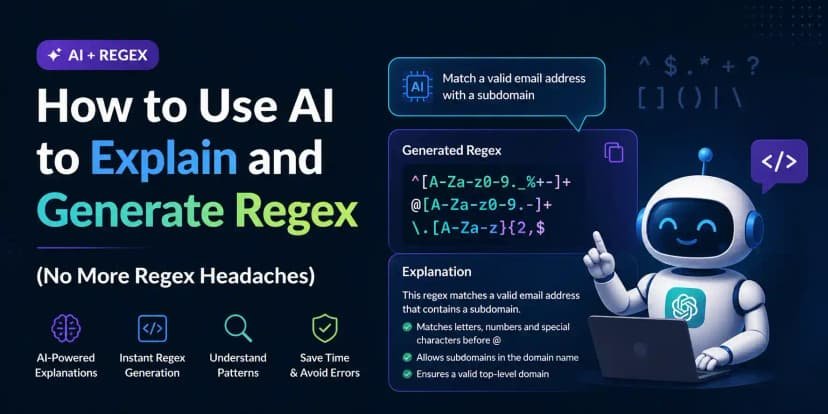
Regex is the programming skill everyone needs and nobody enjoys learning. You need to validate an email, extract dates from a log file, or parse some cursed CSV — and suddenly you’re staring at ^(?:[a-z0-9!#$%&'*+/=?^_`{|}~-]+...) wondering where your life went wrong. Here’s the good news: using AI for regex is one of the most reliable AI coding use cases there is. It’s practically what the technology was born to do. This guide covers How to use ai for regex — clearly, honestly, and without the fluff.
How to Use AI for Regex in 30 Seconds
The formula is dead simple. Describe the match in plain English, give examples, specify the flavor:
“Write a JavaScript regex that matches US phone numbers in formats (555) 123-4567, 555-123-4567, and 5551234567. Here are strings it should match: […]. Here are strings it should NOT match: […].”
The examples are the secret weapon. Positive AND negative examples let you verify the pattern instantly instead of trusting it blindly.
The reverse direction is even more valuable
Paste a regex you found on Stack Overflow and ask: “Explain this regex to me piece by piece, and tell me what it would fail to match.” This is how you actually learn regex instead of cargo-culting patterns. I’ve seen developers go from regex-phobic to regex-comfortable in a month just by explaining every pattern they use. Same principle as generating SQL with AI — the tool teaches while it serves.
The Traps (Yes, There Are Traps)
- Overly permissive patterns. AI regexes tend to match too much. Always test with your negative examples.
- Catastrophic backtracking. Ask explicitly: “is this pattern vulnerable to catastrophic backtracking on long inputs?” AI can rewrite nested quantifiers into safe forms.
- Flavor differences. A Python regex and a JavaScript regex are not the same animal (lookbehind support, I’m looking at you). Always name your target language.
- Email validation rabbit holes. The “perfect” email regex is famously absurd. Ask for a pragmatic one and validate deliverability separately.
Regex is a case where AI’s strength at code really shows — patterns are formal, testable, and verifiable in seconds. And the verification habit transfers everywhere, including catching hallucinated functions in larger code.
Real-World Regex Recipes Worth Stealing
Here are battle-tested patterns developers actually use, all easily generated and customized with AI. Log parsing: “extract timestamps, log levels, and messages from lines like [2026-01-15 10:23:45] ERROR: connection failed” — AI nails this in one shot, and you can ask it to make the timestamp format flexible. Data cleanup: “find all lines in this CSV where the phone column doesn’t match a valid format” — describe valid, get the pattern, filter the file.
Code refactoring with regex: “write a regex that finds all console.log statements, including multiline ones” for cleanup, or patterns that match deprecated function calls across a codebase for migration. Pair the AI-generated pattern with your editor’s find-and-replace preview and you can refactor thousands of lines confidently.
Input validation: usernames, slugs, hex colors, version strings — the classics. Ask for “pragmatic, not perfect” and specify your exact rules (“lowercase letters, numbers, and hyphens, 3–30 chars, can’t start with a hyphen”). The AI will produce it, and regex101 will confirm it. Keep a personal snippet library of the patterns you actually use; within months you’ll have a toolkit that covers 95% of your regex needs, each one understood because you had it explained when you generated it.
When NOT to Use Regex (AI or Otherwise)
Regex is a hammer; not everything is a nail. Parsing HTML/XML: use a real parser, always — regex can’t handle nesting and you’ll regret it. Email validation: a simple pragmatic pattern plus actually sending a verification email beats any monster regex. Complex grammars: JSON, code, markdown — parsers exist for a reason.
The rule of thumb: if your regex needs more than two lookaheads or you can’t explain it in one sentence, you probably need a parser. AI will happily generate the monster regex — it’s very good at it — but “the AI wrote it” doesn’t make it maintainable. Ask the AI instead: “should I use regex or a parser for this?” It’s refreshingly honest when asked directly, and it’ll usually point you to the right library. Knowing when not to use a tool is the mark of someone who actually understands it.
Try this today: take one regex you’ve been avoiding (log parsing, data cleanup, validation) and generate it with positive and negative examples. Test it on regex101, save it to your snippet library, and enjoy never fearing patterns again.
Final tip: save every pattern you generate with a one-line comment explaining what it matches. Six months from now, future-you will open that file, read the comment, and feel genuine gratitude. Regex without comments is write-only code.
The Takeaway
Describe in English, provide positive and negative examples, name the regex flavor, test before shipping. You’ll never hand-write a pattern from scratch again — and you’ll understand the ones you use better than before.
Test your patterns live at regex101.com — paste the AI’s output there and watch it match in real time.



