
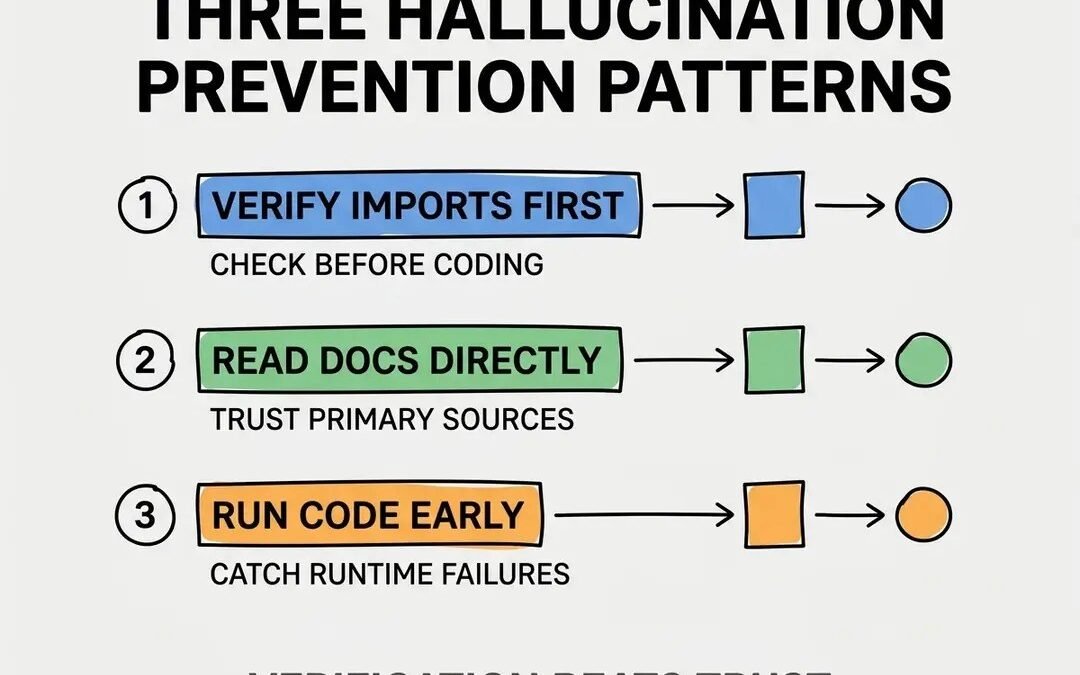
The AI gives you a function. It looks right. It reads right. It does not exist. If you’ve coded with AI for more than a week, you’ve been burned by this. Learning how to stop AI from hallucinating code functions isn’t about finding a magic prompt — it’s about building a verification workflow that assumes hallucinations will happen and catches them cheaply.
How to stop AI from hallucinating code functions: What Actually Works
1. Provide the documentation as context
The single most effective tactic. Paste the relevant API docs (or point a codebase-aware tool at them) and say “using ONLY these documented functions…” Hallucinations plummet when the model has the truth in context instead of relying on memory.
2. Constrain the solution space
“Write this using only the Python standard library” or “only use functions from this file.” Narrower scope, fewer inventions.
3. Demand citations for API claims
“For each library function you use, include a link to its documentation.” Fakes reveal themselves when forced to produce URLs.
4. Ask for the boring, popular approach
“Use the most standard, widely-used method” beats “use the best method.” Hallucinations love novelty; correctness loves boredom.
5. Generate, then verify mechanically
Compile it. Run it. Check every import against the registry. This is the same discipline as catching invented libraries — mechanical verification beats careful reading, because hallucinations are designed to survive careful reading.
6. Use retrieval-augmented tools
Tools that search real docs (or your codebase) before answering hallucinate far less than pure chat. The architecture matters more than the prompt.
7. Lower the temperature for code
If your tool exposes temperature settings, turn it down for code generation. Less creativity, more determinism — exactly what you want from a function that either exists or doesn’t.
Build the Habit, Not Just the Prompt
The developers who rarely get burned aren’t using secret prompts — they’ve internalized distrust as workflow: every AI-generated function gets compiled, every library gets registry-checked, every API call gets doc-verified. It’s the same trust framework behind production trust for AI code, applied at the function level. When translating code, this vigilance matters even more — see converting between languages safely.
When Hallucinations Are Actually Useful
Here’s a contrarian take: sometimes you want the model to invent. In early prototyping, an AI that confidently sketches an API that doesn’t exist yet is showing you what the ideal interface could look like — “write the code as if this perfect library existed.” Then you go build (or find) the real thing to match the sketch. It’s design-by-wishful-thinking, and it’s legitimately productive.
In learning, a hallucinated function is a starting point for a question: “does this exist? If not, what’s the real equivalent?” The search teaches you the actual ecosystem. In brainstorming architectures, invented components keep the creative flow going; you validate later.
The key is mode awareness: know whether you’re in invent-mode or build-mode, and never let invent-mode output reach production unverified. Mark exploratory code clearly, keep it out of the main branch, and run the verification gauntlet before anything ships. Hallucination is a bug in build-mode and a feature in invent-mode. The developers who harness it best aren’t the ones who eliminated it — they’re the ones who learned which mode they’re in.
The 60-Second Verification Routine
Make verification so fast it becomes automatic. For any AI-generated code touching external libraries: 1. Does it compile/run? (10 sec) 2. Are the imports real? — registry check (15 sec) 3. Do the function signatures match the docs? — spot-check the two most important calls (20 sec) 4. Does a quick test produce sane output? (15 sec). Sixty seconds, and you’ve caught 95% of hallucinations.
The trick is making step 2–3 frictionless: keep registry tabs pinned, use an editor plugin that links imports to docs, and build the habit during calm moments so it’s automatic during crunch time. Developers who verify consistently aren’t slower — they’re faster, because they never spend an afternoon debugging a function that never existed. Verification isn’t the tax on AI speed; it’s what makes the speed usable.
Your next step: run the 60-second routine on your next AI-generated code block. Time it. Once you feel how fast verification actually is, the “I’ll just trust it” temptation loses its power permanently.
The mindset shift is the real product here: treat every AI output as a draft until verified, and verification stops feeling like overhead. It becomes as automatic as saving your work — just part of how careful developers operate.
The Takeaway
You can’t prompt hallucinations away entirely, but you can make them rare (docs in context, constrained scope, boring approaches) and harmless (compile, registry-check, test everything). Assume invention, verify existence — and the problem shrinks from crisis to checklist.
Deeper read: Wikipedia’s overview of AI hallucination covers the phenomenon beyond just code.



