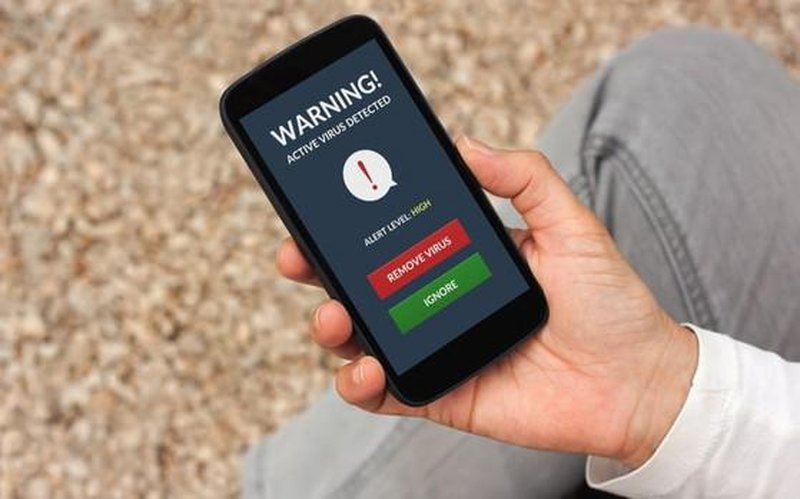
That “ChatGPT Pro Unlocked APK” link looks tempting. Before you tap it, let’s answer the real question: are third party AI APKs safe? The short answer is it depends entirely on the source — and AI apps are currently the most abused lure in Android malware. This guide gives you a clear safety framework: how to assess any APK in two minutes, the checks that actually catch malware, and what to do if you’ve already installed something questionable.
Are Third Party AI APKs Safe? The Short Answer
- Official APKs from developers (their website, GitHub): generally as safe as the Play Store version.
- Reputable APK repositories with signature verification: reasonably safe with checks.
- Random sites, Telegram channels, “mod APK” blogs: unsafe until proven otherwise — assume compromise.
- Anything promising “premium unlocked” or “cracked”: treat as malware. This is not paranoia; it’s pattern recognition.
If you’re new to sideloading entirely, read how to install AI apps safely first for the Play Store vs APK foundations, and how to sideload AI apps on Android for the step-by-step mechanics.
Why AI Apps Are Malware’s Favorite Bait
Attackers follow demand, and nothing is more demanded than AI right now. The playbook:
- Fake AI apps that are actually spyware — they show a fake chat interface while harvesting contacts, SMS (including 2FA codes), and credentials in the background.
- Trojanized real apps: a genuine AI app repackaged with added malware. It works normally, so you never suspect it.
- “Premium unlock” mods: the most common vector. The mod works (stolen API keys or cracked checks), which builds trust while the payload runs quietly.
- Phishing overlays: the malicious app waits until you open your banking app, then displays a pixel-perfect fake login screen on top.
The particularly nasty part: AI apps legitimately need network access and often request broad permissions, so malicious ones hide in plain sight. A flashlight app asking for SMS looks suspicious; an “AI assistant” asking for the same gets a pass. Attackers know this.
The 2-Minute Safety Check (Do This Every Time)
Before installing any third-party APK, run this checklist:
- Source check (30 sec): is this the developer’s official site, their GitHub Releases, F-Droid, or a well-known repository? If you found it via a random Google result or a Telegram forward, stop.
- VirusTotal scan (60 sec): upload the APK to VirusTotal. 0–1 obscure detections: probably fine. 3+ detections: delete. This single step catches the majority of known malware.
- Permission review (30 sec): Android shows permissions before install. An AI chatbot needs internet; it does not need your call logs, SMS, or device admin rights. Mismatched permissions are the #1 tell.
Two minutes. Every time. No exceptions — not even for apps a friend “swears are safe.”
Red Flags, Ranked by Severity
Instant disqualifiers (delete immediately):
- Requests Device Administrator access.
- Asks you to disable Play Protect.
- Multiple VirusTotal detections.
- “Premium unlocked / mod / cracked” labeling.
Strong warnings (probably walk away):
- No official website or verifiable developer.
- Permissions wildly beyond the app’s function.
- Download page covered in fake download buttons and pop-ups.
- Version number doesn’t match the developer’s published releases.
- File size dramatically different from the Play Store version.
Yellow flags (proceed carefully):
- New repository you haven’t used before (verify its reputation first).
- Beta APK from a forum link rather than the official beta channel.
- App hasn’t been updated in over a year (unpatched vulnerabilities).
What About Your Data and Privacy?
Beyond malware, consider what legitimate-but-shady AI APKs do with your data. Third-party AI apps operate outside Play Store data-safety disclosures, meaning:
- Your prompts and conversations may be logged, sold, or breached with no accountability.
- “Free” AI apps have to monetize somehow — if not via subscription, then via data.
- There’s no easy way to request data deletion from an anonymous developer.
Rule of thumb: never paste sensitive information (passwords, financial details, private documents) into any AI app you didn’t get from an official source. For the broader picture, see is my data safe with AI chatbots.
If You Already Installed a Shady APK
- Uninstall it now. Settings → Apps → find it → Uninstall. Don’t open it “one more time.”
- Check Device Admin apps (Settings → Security → Device admin apps). Revoke anything you don’t recognize — malware uses this for persistence.
- Run Play Protect scan (Play Store → Profile → Play Protect → Scan).
- Change critical passwords — email first, then banking, then everything else you accessed on the phone. Use a different device if you’re worried about keyloggers.
- Check for unknown accessibility services (Settings → Accessibility). Malware abuses these to read screens.
- Monitor accounts for unusual activity over the next few weeks.
- Nuclear option: factory reset. Back up photos/contacts first. It’s the only way to be certain.
How These Attacks Work in Practice
Abstract warnings don’t change behavior; concrete scenarios do. Here’s how the most common AI-APK attacks actually play out:
- The fake ChatGPT app: you download “ChatGPT Pro” from a blog. It opens a convincing chat interface — powered by a stolen API key, so it even works. Meanwhile it requests SMS permission “for verification” and silently forwards your 2FA codes to the attacker. You discover the breach when your email password stops working.
- The trojanized photo editor: a real AI photo app, repackaged with spyware. Everything functions normally — the AI features genuinely work, because they’re the real app’s code. The added payload uploads your photo library and contact list over weeks. You never suspect the app you use daily.
- The overlay phish: the malicious app sits quietly until you open your banking app, then draws a pixel-perfect fake login screen on top. You “log in,” it captures credentials, then passes you through to the real app. The delay is milliseconds; the theft is total.
Notice the pattern: the best malware doesn’t break things — it works perfectly while stealing quietly. “It works fine” is not evidence of safety.
Will Sideloading Get Safer?
Slowly, yes. Android keeps tightening the screws: per-app install permissions (already here), stricter warnings for old-targeting apps, and enhanced Play Protect scanning of sideloaded apps. The direction is clear — sideloading stays available, but the guardrails keep rising. Still, no OS feature replaces judgment: the attacker’s advantage is your impatience. Every protection assumes you’ll pause for the two-minute check. The users who get compromised aren’t technically ignorant — they’re just in a hurry. Slow down at the exact moment something feels urgent, because manufactured urgency (“install now, offer expires!”) is itself a red flag.
Frequently Asked Questions
Are third-party AI APKs safe?
Official APKs from developers are generally safe; APKs from reputable repositories are reasonably safe with verification; random-site and “modded” APKs should be treated as unsafe. The source determines the safety, not the file format.
How can I check if an APK has malware?
Upload it to VirusTotal before installing — 70+ antivirus engines scan it free. Combine with a permission review and source check for solid protection.
Why do modded AI APKs exist?
To offer paid features free — using stolen API keys, cracked license checks, or stripped paywalls. They work, which is what makes them dangerous: the functionality builds trust while bundled malware runs quietly.
Can Google Play Protect detect bad APKs?
Sometimes — Play Protect scans sideloaded apps too, and Google’s Play Protect catches known threats. But it’s a second opinion, not a guarantee; sophisticated or new malware slips past. Keep it on, but don’t rely on it alone.
What permissions should an AI chatbot app need?
Network access, maybe storage and microphone (for voice features). It should NOT need SMS, call logs, contacts, or device admin. Excessive permissions are the clearest warning sign.
The Bottom Line
Third-party AI APKs aren’t inherently evil — they’re inherently unverified, and verification is your job now. Official sources plus a VirusTotal scan plus a permission review takes two minutes and filters out nearly everything bad. The users who get burned are the ones who skip those two minutes for “premium unlocked.” Don’t be that user. Your AI curiosity is valid; just bring your skepticism along.