
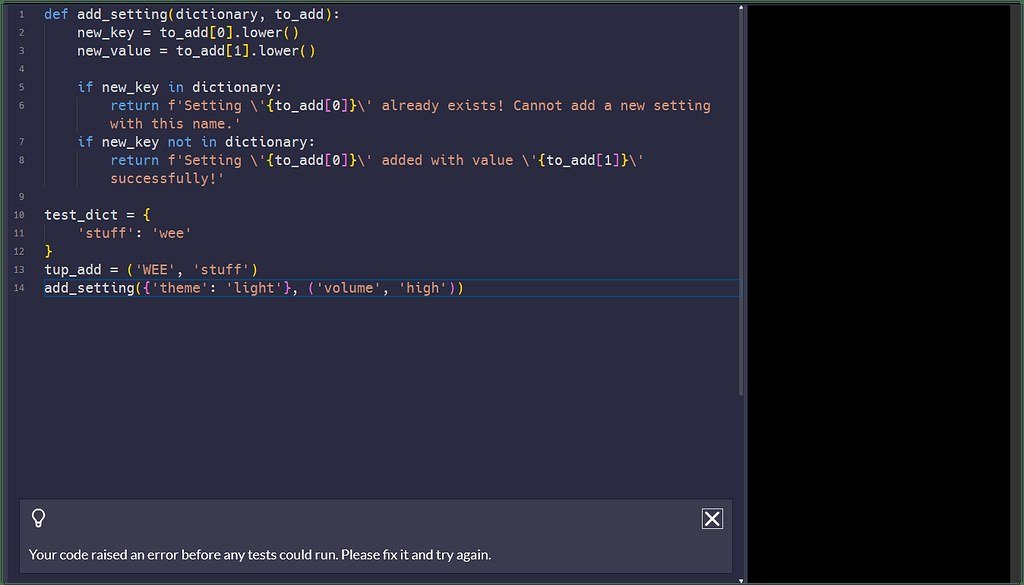
It’s 11pm, the tests are red, and the stack trace might as well be hieroglyphics. Can Claude help debug complex code? Yes — and it’s one of the areas where AI assistance has genuinely changed the job. But “help debug” covers a spectrum from “spot the typo” to “untangle a race condition,” and Claude’s effectiveness varies across it. Here’s the realistic guide.
Can Claude Help Debug Complex Code? Where It Excels
- Reading stack traces: paste the error, get a plain-English explanation of what failed and where — the fastest win
- Spotting common bugs: off-by-ones, null references, async mistakes, type errors — pattern-matching at scale
- Explaining confusing behavior: “why does this return undefined?” with the code attached
- Reproducing minimally: “reduce this to the smallest failing case” — great for isolating issues
- Reviewing fixes: “here’s my fix — will it break anything else?”
The workflow that works: paste the error + relevant code + what you expected. That trio gives Claude everything it needs most of the time.
Where It Struggles (Be Realistic)
- Heisenbugs and race conditions: timing-dependent issues are hard without running the code repeatedly
- Environment-specific bugs: “works on my machine” problems need your machine’s context
- Deep architectural bugs: where the fix requires redesigning, not patching
- Confident wrong fixes: the real danger — a plausible fix that masks the root cause. Always understand why a fix works.
This is where Claude Code vs Copilot matters: agentic tools that can run your code (execute tests, reproduce errors) debug far better than chat-only approaches. If you’re still copy-pasting into a chat window, you’re using the weaker modality.
The Debugging Workflow That Works
- Describe the symptom precisely: what happens vs. what should happen, steps to reproduce
- Provide the error verbatim: full stack trace, not your paraphrase
- Include relevant code: the failing function plus its callers — context matters
- State what you’ve tried: prevents redundant suggestions
- Ask for the why, not just the fix: “explain the root cause” builds your debugging skill
- Verify the fix: run tests; don’t trust, verify
For big-picture context, Claude’s large-codebase handling means it can trace bugs across files — not just stare at the snippet you pasted. And Claude Code takes this further by running your test suite itself.
Prompts That Debug Better
- “Here’s the error and the code. Explain the root cause before suggesting a fix.”
- “What are three possible causes of this behavior, ranked by likelihood?”
- “Review my fix — what edge cases does it miss?”
- “This worked yesterday and broke today. What kinds of changes cause this pattern?”
Debugging War Stories: Patterns Claude Catches Fast
Recurring bug classes where AI debugging shines:
- The async await missing: “Why is this undefined?” — forgotten await, promise not resolved. Claude spots it instantly from the pattern.
- The off-by-one: loop boundaries, array indices — describe the symptom, get the fix with explanation.
- The type coercion surprise: JavaScript’s == vs ===, Python’s truthiness quirks — classic gotchas it explains well.
- The stale closure: React hooks capturing old state — a rite of passage it diagnoses clearly.
- The N+1 query: performance bugs from ORM laziness — “Why is this endpoint slow?” with the code attached.
The meta-lesson: most debugging time goes to common bug classes, not exotic ones — and common classes are exactly what pattern-trained AI diagnoses fastest. Save your deep thinking for the genuinely weird bugs; let AI clear the routine ones.
Frequently Asked Questions
Should I paste my whole file or just the error?
Both ideally — the error plus the relevant code and its context. More context = better diagnosis, up to the point of noise.
Can it debug without running the code?
Yes, surprisingly well — static analysis from reading. But agentic tools that run tests debug better. Use chat for diagnosis, agents for verification.
What if Claude’s fix doesn’t work?
Tell it exactly what happened: “That fix caused X instead.” Debugging is iterative — each round narrows it. Don’t restart; continue the thread.
Can it help with production incidents?
For diagnosis, yes — paste logs and errors. But incident response needs your judgment on blast radius and rollback; AI advises, you decide.
Preventing Bugs Claude Can’t Easily Fix
Some bug classes resist AI debugging — prevent them instead:
- Race conditions: design with explicit synchronization; don’t rely on timing luck.
- Environment drift: containerize, pin versions, document setup — “works on my machine” is a process failure.
- Implicit contracts: document function expectations; AI can’t debug assumptions it can’t see.
- Copy-paste inheritance: duplicated logic diverges silently — extract shared code early.
The best debugging is the debugging you don’t need. Clean architecture, explicit contracts, and good tests prevent the bug classes that even the best AI struggles with. Use Claude for the rest.
The Takeaway
Yes, Claude debugs complex code well — especially with full error context and relevant code attached. It’s best at diagnosis and common bug patterns; weakest at timing issues and environment quirks. Always demand the root-cause explanation (not just a patch), verify fixes by running tests, and graduate to agentic tools like Claude Code for bugs that need execution, not just reading. Used right, it cuts debugging time dramatically. Try it at Claude on Anthropic’s site — paste your next stack trace and see.



