
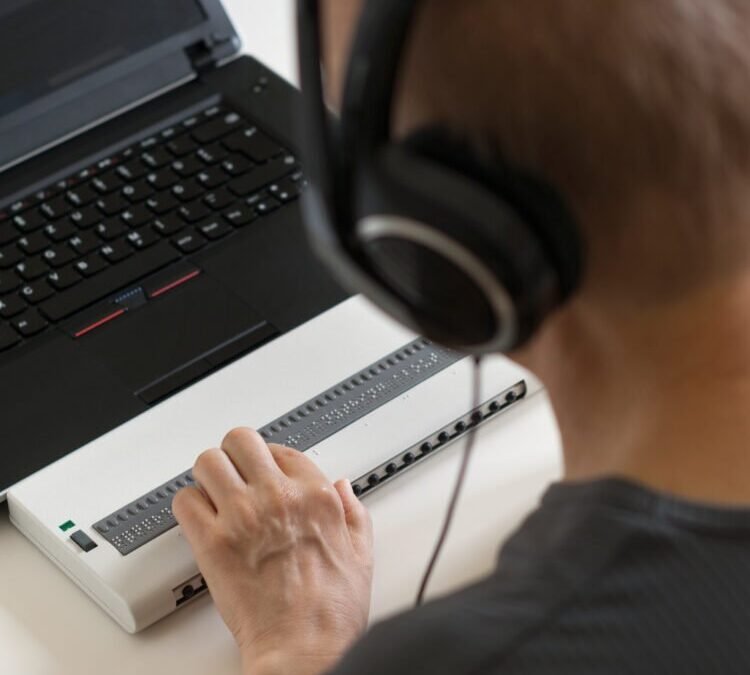
Both turn text into speech — but screen readers and AI TTS voices are built for fundamentally different jobs. Understanding how screen readers compare to AI TTS voices matters whether you’re building accessible products or choosing narration tech.
How do Screen Readers Compare to AI TTS Voices
Screen readers (JAWS, NVDA, VoiceOver) are assistive technology for blind and low-vision users: they read interfaces — buttons, menus, headings, alt text — prioritizing speed, precision, and navigability. Users often run them at 2–3x speed, navigating by headings and landmarks. AI TTS voices (ElevenLabs, PlayHT) are built for listening pleasure: natural prosody, emotion, and human-likeness for content consumption — audiobooks, narration, entertainment.
Head-to-head comparison
- Naturalness: AI TTS wins by miles. Screen reader voices are intentionally robotic-efficient — at 3x speed, expressiveness is noise.
- Speed control: screen readers win — granular rate control up to extreme speeds, with speech that stays intelligible where AI TTS degrades.
- Navigation: screen readers aren’t just voices; they’re full navigation systems (headings, tables, forms mode). AI TTS reads linearly — useless for interface navigation.
- Pronunciation control: screen readers have deep custom dictionary support built over decades; AI TTS is catching up but historically weaker here.
- Cost: NVDA is free; VoiceOver is built into Apple devices. Premium AI TTS is subscription-based.
- Offline operation: screen readers work fully offline (essential for accessibility); most premium AI TTS needs the cloud.
The convergence (interesting development)
The lines are blurring: screen readers are adopting more natural voices (users can choose human-like voices for long reading), and AI TTS is being integrated into accessibility tools. Apple’s Live Speech and Personal Voice features bring AI-quality synthesis to accessibility contexts. The likely future: user-controlled naturalness — efficient robotic mode for navigation, natural mode for reading articles.
What this means for creators
If you’re making content: don’t confuse the two audiences. Making your video’s narration “accessible” with pretty AI voices doesn’t replace proper accessibility — alt text, captions, semantic HTML, and screen-reader testing. And if you’re building products: test with actual screen reader users, not just AI TTS demos. The workflows are completely different.
The accessibility community’s perspective
Important context often missed by AI enthusiasts: many blind users prefer traditional screen reader voices — and that’s rational, not Luddite. At 3x speed, expressiveness is noise; efficiency is everything. The push for “natural” voices sometimes comes from sighted designers projecting their preferences. The accessibility principle: nothing about us without us — involve actual screen reader users in voice technology decisions.
Where natural AI voices genuinely help accessibility: long-form reading (books, articles — where listening pleasure matters), language learning (hearing natural prosody), children’s content (engagement matters), and users with partial vision who listen at normal speeds. The future isn’t replacing screen reader voices — it’s offering choice: efficient mode for navigation, natural mode for reading.
Building truly accessible products
If you’re a creator or developer: test with real screen readers (NVDA is free — there’s no excuse), write proper alt text (AI can draft it; humans should review), use semantic HTML (headings, landmarks, labels — the navigation infrastructure), and caption everything (deaf and hard-of-hearing users are a separate audience with separate needs). The W3C Web Accessibility Initiative is the authoritative standard — AI narration is a supplement to accessibility, never a substitute for it.
Accessibility audit for your content
Run this audit on your next piece of content. Visual: does every meaningful image have alt text? Are videos captioned? Is color never the only information carrier? Audio: are there transcripts for audio content? Do videos work muted (captions + visual storytelling)? Structure: proper heading hierarchy? Descriptive link text (never “click here”)? Keyboard navigable? Testing: run through it with NVDA (free) or VoiceOver — can you complete the core task?
One audit teaches more than ten guidelines — you’ll feel the friction your content creates for assistive technology users, and fixing it becomes personal rather than theoretical. Make the audit a habit for major content pieces. Accessibility isn’t a feature; it’s the absence of barriers you didn’t know you were building. And it benefits everyone — captions help in noisy rooms, transcripts help search engines, structure helps all readers.
Start with one barrier removed
Accessibility work feels overwhelming until you start — so start with exactly one thing. This week: add proper alt text to every image in your next piece of content. That’s it. Next week: fix your heading hierarchy. The week after: caption one video. Small, consistent improvements compound into genuinely accessible content within a couple of months, without the paralysis of trying to fix everything at once. And each fix teaches you the principles, making the next one easier. The perfect accessibility audit can wait; the first fix can’t. Pick one barrier and remove it today.
Practical takeaway
- Screen readers: built for navigation speed and precision. AI TTS: built for listening pleasure.
- Don’t substitute one for the other — different users, different needs.
- Convergence is coming: natural voices entering accessibility tools.
- For creators: AI narration ≠ accessibility; still do alt text, captions, and semantic markup.
Keep exploring
If you found this useful, these related guides go deeper:



