
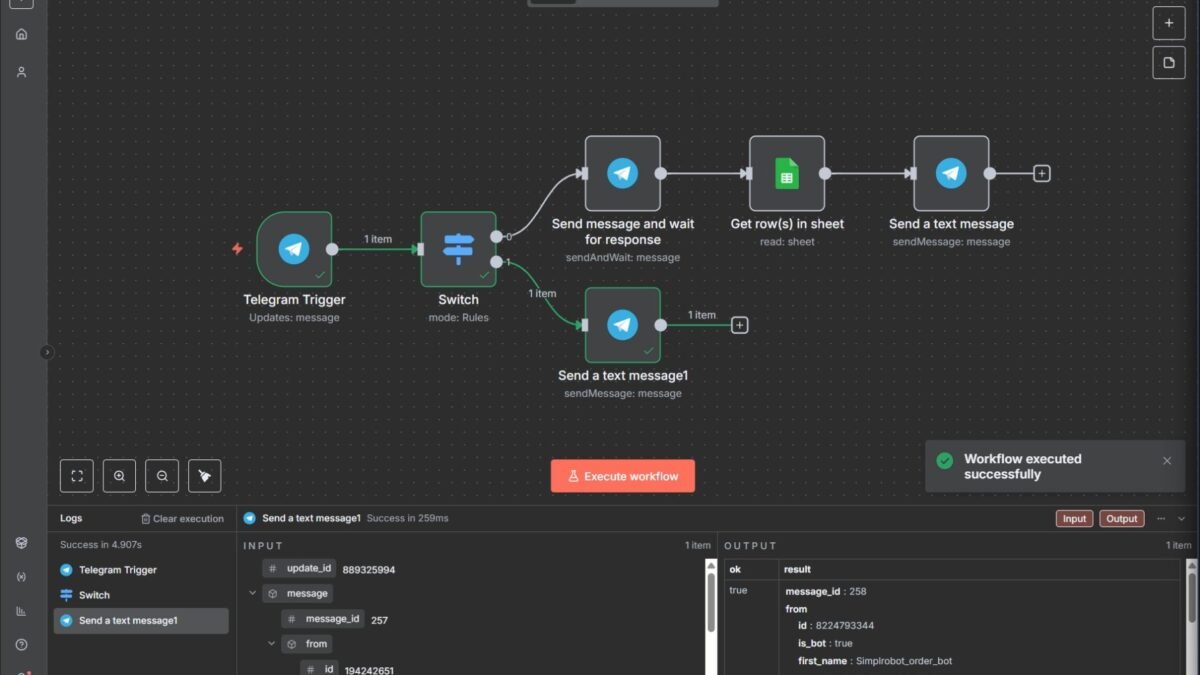
n8n’s AI agent nodes default to cloud models — but pointing them at your local LLM gives you private, cost-free AI automation. Here’s how to connect local LLMs to n8n automations, step by step.
How to Connect Local Llms to N8n Automations
- n8n installed (self-hosted via Docker/npm, or n8n Cloud — though local LLM + cloud n8n defeats the privacy purpose; self-host both for full privacy).
- Ollama running locally with a pulled model (
ollama pull llama3.1to start). - Both on the same machine or network (Docker networking needs attention — see below).
Step-by-step connection
- Start Ollama’s server.
ollama serve(usually auto-starts). Verify athttp://localhost:11434— you should see “Ollama is running.” - Handle Docker networking. If n8n runs in Docker,
localhostinside the container isn’t your machine. Usehttp://host.docker.internal:11434(Docker Desktop) or your host’s LAN IP. This is the #1 gotcha — most “connection failed” issues are this. - Add the Ollama node in n8n. In your workflow, add an AI Agent node (or LLM chain), and for the model select Ollama. Create credentials with the base URL from step 2.
- Select your model. Choose the pulled model from the dropdown. For agent work, prefer larger reasoning models; for simple classification/extraction, 8B models are fast and sufficient.
- Configure parameters. Temperature (0 for deterministic tasks, 0.7 for creative), context window (match your model’s capability), and keep-alive settings.
- Test with a simple chain first. Before building agents, verify a basic LLM chain returns sensible output. Debug connectivity here, not in a complex agent.
- Build your agent. Add tools (other n8n nodes: Gmail, Sheets, HTTP, Code), write the agent prompt, and test with supervision.
Choosing models for n8n agents
- Simple tasks (classify, extract, summarize): Llama 3.1 8B / Qwen 2.5 7B — fast, low RAM.
- Agent work (tools, multi-step): Qwen 2.5 32B, Llama 3.1 70B (quantized), DeepSeek-R1 distillations — reasoning matters more than size per se.
- Tool-calling specifically: models fine-tuned for function calling perform notably better; check the model’s card.
Performance tuning
Local inference speed determines agent usability. Tips: use quantized models (Q4_K_M is the sweet spot), keep context windows as small as the task allows (long contexts slow everything), run one model at a time if RAM-constrained, and consider a GPU — even a mid-range NVIDIA card transforms local agent speed from “usable” to “pleasant.”
Advanced n8n + local LLM patterns
Beyond basic connections, these patterns give you serious capability. Model routing: use a small local model to classify incoming tasks, then route simple ones to local models and complex ones to cloud APIs — best of both worlds on cost and capability. Local preprocessing: run PII redaction, classification, and summarization locally, then send only clean, minimal context to cloud models — privacy and cost savings. Ensemble verification: have a local model double-check cloud model outputs (or vice versa) for critical tasks.
Offline-first with cloud fallback: try local first; escalate to cloud APIs only when the local model’s confidence is low. This pattern gives you 80% cost savings with 95% of the quality — the economics are compelling for high-volume workflows. Implement with n8n’s IF nodes checking confidence scores or output validation.
Troubleshooting common issues
The hits: connection refused (Docker networking — use host.docker.internal, verify Ollama is listening on 0.0.0.0 not just localhost), model not found (pull it first via CLI; n8n can’t pull models), slow inference (reduce context, quantize, add GPU), OOM errors (model too big for RAM — drop a size), and tool calling failures (some local models need explicit function-calling fine-tunes — check the model card). The n8n documentation and Ollama GitHub issues are the fastest paths to solutions for anything exotic.
Your n8n + Ollama weekend project
Build it this weekend and you’ll understand the whole stack. Saturday: install Ollama and n8n locally; pull a capable model; connect n8n’s AI nodes to Ollama (remember the Docker networking fix); verify a basic LLM chain works. Sunday: build one real workflow — email triage, content summarizer, or research assistant — entirely on local models. Test it on 20 real inputs; note where the local model struggles vs. where it shines.
What you’ll learn: the real capability gap between local and cloud (smaller than you fear for structured tasks, larger for open-ended reasoning), actual inference speeds on your hardware, and whether the privacy/cost benefits justify the setup for your use cases. Hands-on beats speculation every time. One weekend, full understanding, zero API bills.
Practical takeaway
- Point n8n’s AI nodes at Ollama’s local endpoint; fix Docker networking with host.docker.internal.
- Test basic LLM chains before building complex agents.
- Match model size to task: 8B for simple, 32B+ for real agent work.
- Quantize (Q4_K_M), trim context windows, and use a GPU for speed.
Keep exploring
If you found this useful, these related guides go deeper:



