
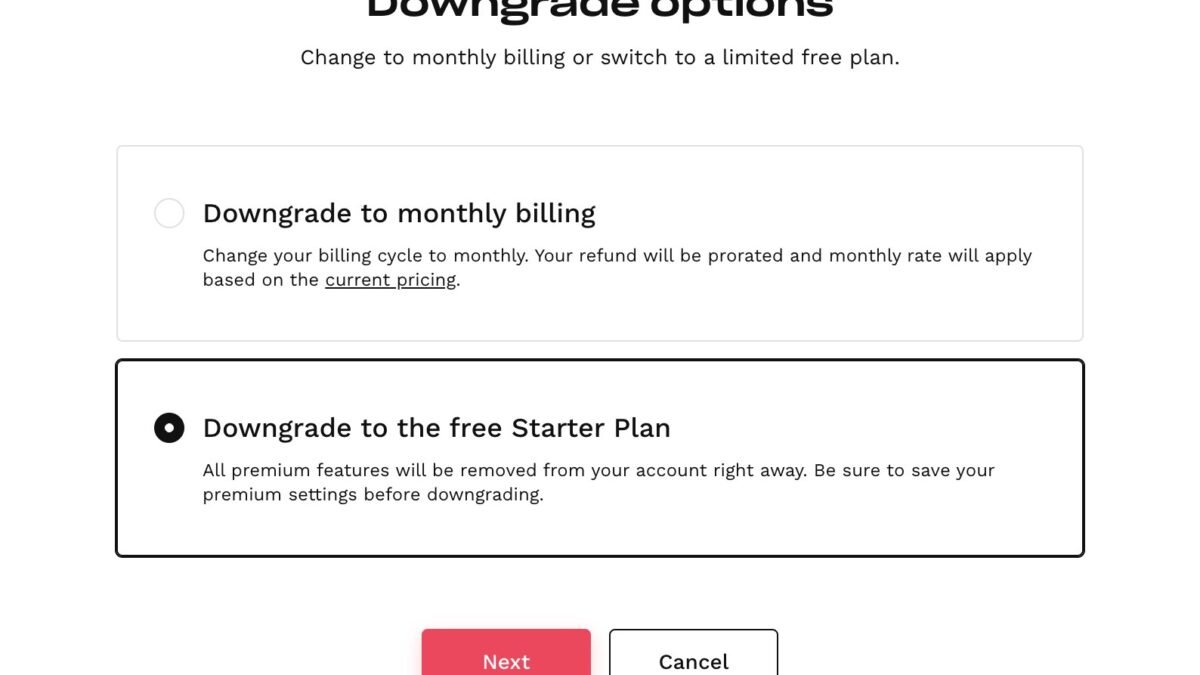
Not ready to leave entirely, but the $20/month stings? How to downgrade ChatGPT Plus to free is the middle path — here’s — and it’s simpler than most people expect. No data loss, no drama, and you can reverse it anytime. Here’s how to do it cleanly and what to do about the gap it leaves.
How to Downgrade ChatGPT Plus to Free
There’s no “downgrade” button — you simply cancel the Plus subscription, and the account reverts to free automatically at the end of the billing period:
- ChatGPT on web → profile icon → Settings → Subscription
- Click Cancel subscription and confirm
- Keep using Plus until the period ends — then you’re on free
Subscribed via App Store or Google Play? Cancel there instead (Settings → Subscriptions on iPhone; Play Store → Payments & subscriptions on Android). Full steps are in our guide to canceling ChatGPT — same process, same outcome.
What you keep: all chats, custom GPTs, settings, and memory. What changes: model access drops to free-tier models, message limits shrink, and Plus-only features (deep research, Sora, advanced voice) go away.
Before You Downgrade: The Smart Alternatives
Downgrading to free isn’t the only way to spend less:
- ChatGPT Go: the budget tier keeps you above free limits at a fraction of Plus pricing — the downgrade most people actually want
- Seasonal Plus: cancel now, resubscribe during heavy-use months. Many people need Plus 4-6 months a year, not 12
- Free alternatives to Plus: Claude, Gemini, and others have generous free tiers that cover a surprising amount
- Annual check: see if annual billing discounts exist right now — if you’re sure you’ll stay, prepaying can cut the effective monthly cost
Making the Free Tier Work Harder
If you do drop to free, these habits close most of the gap:
- Prompt better: precise, context-rich prompts get more from weaker models — technique compensates for tier
- Batch your questions: combine related asks into fewer messages to stretch limits
- Use off-peak hours: free-tier throttling hits hardest during busy periods
- Split workloads: use Claude or Gemini free tiers alongside ChatGPT — different strengths, separate limits
- Save deep research for when it matters: you lose it on free, so plan any big research pushes before downgrading
The 30-Day Free Trial: Test-Drive Downgrading
Nervous about losing Plus? Treat it as an experiment:
- Cancel now (you keep Plus until period end — no immediate loss).
- Use free exclusively for 30 days. Note every time you miss Plus — specifically what feature, what task.
- Set up free-tier alternatives on day one: Claude free + Gemini free alongside ChatGPT free.
- Review at day 30: count the “I needed Plus” moments. Zero to two? Stay free. Weekly? Resubscribe with confidence.
Most people discover the free tier plus alternatives covers them — the “need” for Plus was habit, not necessity. And if the experiment proves you do need it, resubscribing takes two minutes. Either way, you decide with data.
Frequently Asked Questions
Will I lose custom GPTs I built?
No — they persist and run on free models. Complex ones may behave differently, but nothing is deleted.
Can I downgrade to Go instead of free?
Yes — cancel Plus and subscribe to Go separately. It’s the middle path most downgraders actually want.
What about my Plus billing date?
Cancellation stops future charges; the current period runs its course. No prorated refunds for unused days as standard.
Should I export anything first?
Key chats and custom instructions are worth saving — not because they delete, but because organizing is easier with full access. Five minutes of housekeeping.
What Free Users Miss Most (and Workarounds)
The downgrade adjustments, ranked by how much people miss them:
- Deep research: missed most. Workaround: none on free — plan big research before downgrading, or use targeted web searches.
- Frontier models: missed on hard tasks. Workaround: better prompting on free models closes much of the gap.
- Image generation volume: missed by creators. Workaround: free image gens (Gemini, etc.) for overflow.
- No throttling: missed during peak hours. Workaround: use off-peak, or rotate providers.
Notice the pattern: every “miss” has a workaround except deep research. If deep research was your killer feature, reconsider the downgrade — or subscribe seasonally just for research-heavy months.
The Seasonal Playbook: A Year of Smart Subscribing
Here’s what optimized Plus spending looks like across a year:
- Jan–Mar: subscribed (new year projects) — $60
- Apr–Jun: free tier + alternatives — $0
- Jul–Sep: subscribed (big project) — $60
- Oct–Dec: free tier — $0
- Total: $120/year vs. $240 for year-round — same capability when it matters.
Adjust the months to your rhythm. The principle: pay for intensity, not for inertia. Most people’s AI needs come in waves — let your subscription match the waves.
The Takeaway
Downgrading ChatGPT Plus to free means canceling and letting the account revert — nothing is deleted, and you keep Plus until the billing period ends. But consider the middle options first: Go tier, seasonal subscribing, or free alternatives often beat a hard downgrade. And remember, resubscribing takes two minutes whenever you need it back. The subscription should serve your usage, not the other way around. Manage it all at OpenAI’s site.



