
Your pull request gets an AI review before any human sees it. It catches the null pointer dereference, flags the N+1 query, suggests a cleaner pattern — in 30 seconds, at 2am, without attitude. How to use AI for code reviews on pull requests is becoming standard practice in 2026, and teams doing it well ship better code faster. Here’s the complete setup guide: tools, prompts, workflows, and the pitfalls.
Why AI Code Review Works
- Consistency: AI reviews every PR with the same thoroughness. No “LGTM” rubber stamps at 5pm on Friday.
- Speed: feedback in seconds, not hours. Developers fix issues while the code is fresh in mind.
- Coverage: AI checks everything — style, bugs, security, performance — where humans focus on logic and skim the rest.
- Learning: junior developers get detailed feedback on every PR, accelerating growth.
The Tools
Integrated AI Reviewers
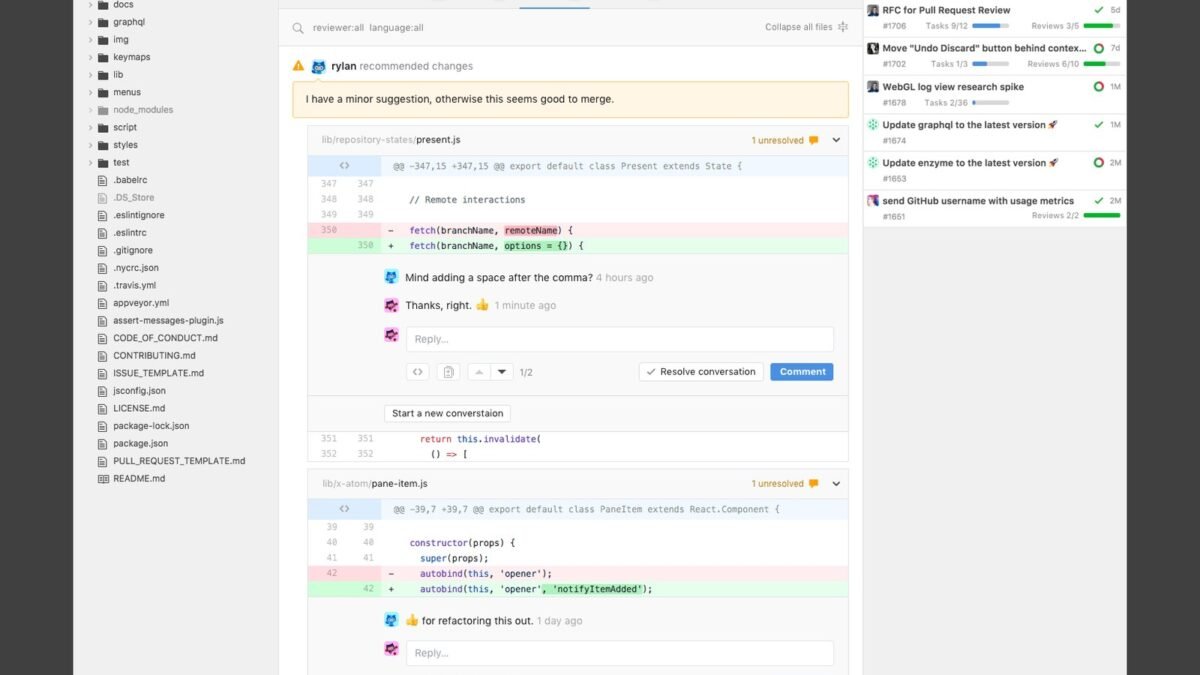
GitHub-native AI review tools (Copilot for PRs, CodeRabbit, and alternatives) comment directly on pull requests — inline suggestions, summary descriptions, issue flagging. Setup is usually a GitHub App install plus configuration. They become part of the CI pipeline: PR opened → AI reviews → human reviews with AI context.
Chatbot Review (Ad-Hoc)
For one-off deep reviews: paste the diff into Claude or ChatGPT with a review prompt. More flexible than integrated tools, better for complex architectural feedback. Our AI code review guide has the systematic process.
Custom Review Bots
Teams with specific standards build custom reviewers: fine-tuned prompts encoding their conventions, security rules, and architectural patterns. Highest value, most setup. Worth it for teams with strong conventions.
The Review Prompt That Works
For ad-hoc reviews, this prompt structure gets the best results:
“Review this pull request diff. Context: [what the PR does, relevant background]. Check for: 1) bugs and logic errors, 2) security vulnerabilities, 3) performance issues, 4) deviations from [language/framework] best practices, 5) missing tests or edge cases. For each issue: severity (critical/major/minor), file and line, explanation, and suggested fix. Don’t comment on style unless it affects readability significantly.”
The “don’t comment on style” constraint matters — unconstrained AI reviewers drown PRs in nitpicks, and developers start ignoring them.
Workflow Integration
- AI reviews first. Automated review runs on PR creation. Developer addresses AI findings.
- Human reviews second. With AI findings already addressed, humans focus on architecture, design decisions, and business logic — the things AI can’t judge.
- Calibrate severity. Tune the AI to your team’s tolerance. Too sensitive → noise, developers ignore it. Too lax → misses real issues.
- Track AI catch rate. Are human reviewers still finding issues AI missed? That’s your calibration signal.
- Keep humans accountable. AI review assists; it doesn’t approve. Human sign-off remains required.
What AI Reviewers Miss
- Business logic correctness: “Is this what we actually want?” — requires product context AI doesn’t have.
- Architectural fit: does this align with where the system is going? Human judgment.
- Subtle security issues: AI catches common vulnerabilities but misses novel attack vectors. See debugging complex code for related techniques.
- False positives: AI flags patterns that are fine in context. Developers need permission to dismiss with reason.
For large codebases specifically: Claude on large codebases.
How to use AI for code reviews on pull requests without drowning in noise
AI code review bots fail when they comment on everything — developers quickly learn to ignore them. The fix: configure ruthlessly. Limit AI review to what it does well (bugs, security patterns, missing tests) and disable what it does poorly (style nits, subjective suggestions). Signal over noise.
Position AI review as a pre-review: it catches the mechanical issues before human reviewers spend attention, so humans focus on architecture and intent. Teams report human review quality actually improves when AI handles the tedious first pass.
Calibrate continuously: review the AI’s comments monthly, tune out false-positive categories, and keep humans as the final authority. AI improves the review process; it does not replace reviewer judgment. Anthropic’s code review tooling reflects these best practices.
Track review metrics to tune the system: false-positive rate per category, developer engagement (are comments acted on or ignored?), and bugs caught that humans missed. Numbers guide configuration — disable categories with high false positives, strengthen ones catching real issues. Unmeasured AI review drifts into noise; measured review improves monthly.
Start with advisory mode before enforcement: let the AI comment without blocking merges while the team builds trust in its judgment. Flip to required checks only after false positives drop. Gradual rollout beats big-bang mandates.
The Bottom Line
How to use AI for code reviews on pull requests: integrate an AI reviewer into your PR pipeline for instant first-pass feedback, use detailed prompts that prioritize real issues over nits, keep humans focused on architecture and business logic, and calibrate continuously. AI doesn’t replace human review — it improves it, by handling the mechanical checking so humans can do the thinking. Teams that set this up well wonder how they ever shipped without it.



