
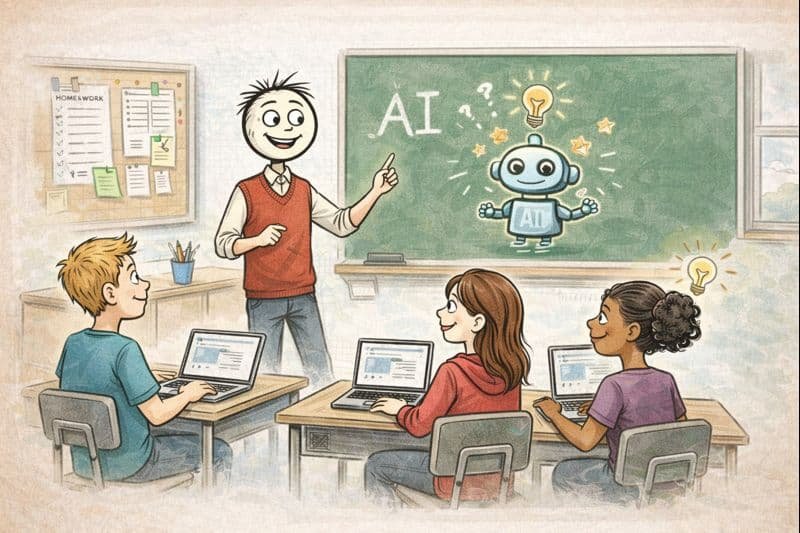
Beyond the theory and the policy debates, there’s the practical question teachers actually ask: how to use AI in the classroom — on Monday morning, with real students, in real subjects? This is the hands-on guide: concrete activities and workflows organized by subject, all classroom-tested in concept, all respecting the privacy red lines.
How to use ai in the classroom: What Actually Works
- AI as writing coach: students draft, then get AI feedback on specific dimensions — “give feedback on my thesis clarity and evidence use, not grammar.” They revise based on feedback. The revision — not the generation — is where learning happens.
- Style analysis: “Compare my paragraph’s style to [author we’re studying]. What specific techniques differ?” Literary analysis through contrast.
- Socratic reading partner: students discuss the text with AI before class — “ask me questions about Chapter 5 that a good English teacher would ask.” They arrive prepared; discussion starts deeper.
- Counterargument generator: “Give me the strongest counterargument to my essay’s thesis.” Steel-manning builds stronger arguments.
Math
- Hint-not-answer tutoring: the golden rule — configure the interaction so AI gives hints and checks reasoning rather than solutions. “I’m stuck on step 3 of this problem [show work]. Give me a hint, not the answer.”
- Error analysis: “Here’s a solved problem with a mistake hidden in it. Find and explain the error.” Creates excellent critical thinking exercises.
- Multiple methods: “Show me three different ways to solve this, and tell me when each is most efficient.” Flexibility beats memorization.
- Word problem generation: unlimited practice at exactly the right difficulty — “generate 10 systems-of-equations word problems about sports, medium difficulty.”
Science
- Hypothesis partner: before labs, students discuss predictions with AI — “what do you expect to happen and why?” — then test against reality.
- Data analysis help: “Here’s our lab data [paste]. Help us identify patterns and suggest what they might mean — don’t conclude for us.”
- Concept bridging: “Explain osmosis using a sports analogy, then using a cooking analogy.” Multiple analogies build robust understanding.
- Lab report feedback: structural feedback on drafts — “is my conclusion supported by my data?”
History / Social Studies
- Perspective-taking: “Explain the causes of WWI from the perspective of [different nations].” Then critique: what did each perspective omit?
- Primary source scaffolding: “Help me understand this 1860 speech — paraphrase the difficult passages, but let me do the analysis.”
- Debate prep: the full AI-assisted debate workflow — research, steel-manning, reflection.
- “What if” analysis: counterfactual reasoning — “how might history differ if…?” — with the requirement to ground speculation in evidence.
General Classroom Workflows (All Subjects)
- Exit tickets analyzed: paste anonymized exit-ticket responses; get a summary of misconceptions to address tomorrow.
- Differentiation on the fly: “Level this text three ways for my mixed class” — minutes, not hours.
- Formative assessment generation: quick checks matched to today’s objective, generated during lunch.
- Student self-assessment: “Compare my work against this rubric and tell me where I lose points” — students learn to evaluate, the meta-skill.
Classroom Management of AI Use
Set explicit modes: “AI-open” activities (research, brainstorming, feedback) vs. “AI-closed” (assessments, certain practice). Post the mode visibly. Teach verification as routine — “AI said it; now prove it” should be a classroom catchphrase. And model everything yourself — use AI live in front of students, narrating your skepticism: “It says X — let’s check that against the textbook.” The teacher time-savings fund all of this; the classroom practices are where it pays off for students.
Common Mistakes (And How to Avoid Them)
Mistake 1: AI as the lesson instead of a tool in it. “Today we’re learning AI!” is fine occasionally, but the goal is AI serving your subject — better essays, deeper science understanding, stronger historical thinking. Keep the subject center stage. Mistake 2: No verification culture. If students aren’t routinely checking AI output, you’re training credulity, not critical thinking. “AI said it; now prove it” must be as routine as “show your work.”
Mistake 3: Same activity for all proficiency levels. AI differentiation is the superpower — use it. The newcomer gets sentence frames; the advanced student gets the extension challenge. One-size AI use wastes the technology’s best feature. Mistake 4: Grading AI output instead of student thinking. If the assignment can be completed by pasting into a chatbot, the assignment needs redesigning, not the AI needs banning. Assess the thinking: process, revision, explanation, in-class application.
Mistake 5: Inconsistent rules. AI-open on Monday, AI-closed on Tuesday, unclear on Wednesday — students can’t follow rules they can’t predict. Post the mode, explain the why, stay consistent. Mistake 6: Forgetting the human moments. The best classroom AI use still leaves room for the unplugged discussion, the hands-on lab, the silent reading. AI is an ingredient, not the meal. The teachers thriving with classroom AI share one trait: they’re more intentional about pedagogy than before, not less. The tool demands it.
The Takeaway
Use AI in the classroom as: writing coach (not ghostwriter), hint-giver (not answer machine), debate prep partner, differentiation engine, and formative assessment generator — with explicit AI-open/AI-closed modes and verification as routine. Subject-specific, practical, and always in service of the thinking, not instead of it.
Activity ideas: Edutopia’s strategy library — bring any of them to AI for classroom-ready versions.



