
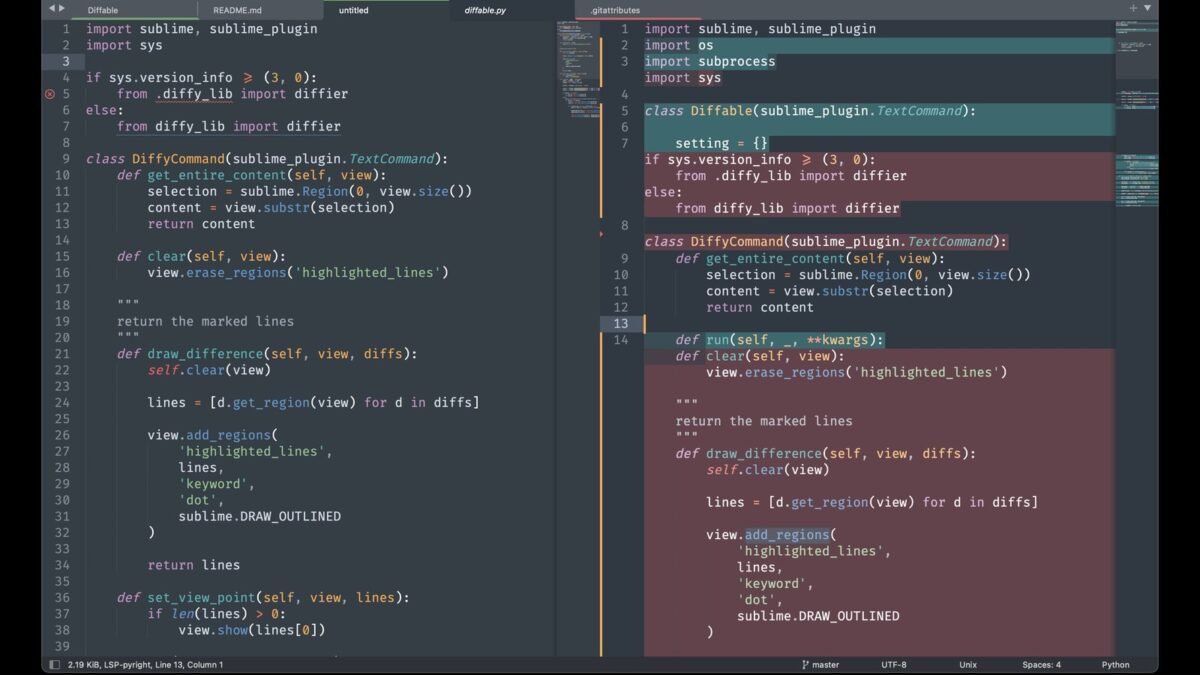
One of Claude’s best features hides in plain sight: when it writes code, documents, or designs, the output appears in a dedicated panel beside the chat instead of buried in the conversation. What are Claude Artifacts? They’re that panel — separate, editable, shareable content windows that turn Claude from a chatbot into a workspace. If you’ve never used them, you’re missing half the product.
What Are Claude Artifacts? The Concept
Artifacts are self-contained pieces of content — code, documents, SVG graphics, simple web pages, diagrams — that Claude creates in a dedicated panel next to your chat. Instead of scrolling through conversation to find the code it wrote three messages ago, the artifact lives in its own window: viewable, editable, downloadable, and versioned.
Think of the difference like this: chat is a conversation; artifacts are the documents produced by the conversation. You talk in the chat, you work in the artifact.
What Artifacts Are Good For
- Code: write, preview, and iterate on HTML/CSS/JS, Python scripts, and more — with syntax highlighting and version history
- Documents: drafts, reports, and long-form writing you can edit directly
- SVG graphics and diagrams: Claude generates vector graphics you can preview and download
- Simple web apps: functional prototypes rendered live in the panel
- Data visualizations: charts from your data, previewable instantly
For developers, artifacts plus Claude’s data analysis is a killer combo: analyze the CSV in chat, get the chart as an artifact you can refine. And if you’re on the free tier wondering about access, free-tier message limits apply to artifact-generating messages too — plan accordingly.
How to Use Artifacts Well
- Ask for substantial outputs: “write this as an artifact” or just request something artifact-worthy (a full page, a script, a document) — Claude creates artifacts automatically for appropriate content
- Iterate in the panel: edit directly or ask Claude to revise — “make the header sticky, darken the background”
- Use versions: every revision is saved; roll back if an iteration goes wrong
- Download/share: export the final version for use elsewhere
- Preview live: HTML artifacts render — you see the actual result, not just code
Power tip: artifacts shine for iterative work. The first version is a draft; the magic is in rounds 2-5 of refinement, all organized in one place instead of scattered across chat.
Artifacts vs. Projects
Don’t confuse the two: Artifacts are individual content pieces created in conversation. Projects are persistent workspaces with their own knowledge bases and custom instructions. They complement each other — use Projects to organize long-term work, Artifacts for the deliverables within it.
Limitations
- Not every output becomes an artifact — short snippets stay in chat (correctly)
- Complex multi-file applications exceed what artifacts handle well
- Mobile artifact experience is functional but cramped — Claude’s mobile app is fine for viewing, desktop for creating
- Live previews are sandboxed — no backend, no real API calls
Artifact Ideas You Haven’t Tried
Beyond the obvious code-and-docs:
- Interactive explainers: “Build an interactive artifact explaining compound interest with sliders.” — learning tools, not just documents.
- Decision matrices: “Create a weighted comparison table for these 4 job offers as an artifact.” — living documents you refine.
- SVG diagrams: flowcharts, timelines, org charts — “Diagram our deployment pipeline as SVG.”
- Mini-games: “Build a playable memory game in one HTML file.” — yes, really.
- Checklists & trackers: “Create a launch checklist artifact with checkboxes.”
- Data dashboards: upload CSV → “Build a dashboard artifact visualizing this.”
The constraint is imagination, not capability. If you can describe it and it fits in a file, artifacts can probably build it. Try one weird idea this week — that’s how you discover what the feature is really for.
Frequently Asked Questions
Can I share artifacts with others?
Check current sharing options — publishing/sharing features evolve. At minimum, download and send the file.
Do artifacts count against message limits?
Generating them uses messages like any output. Heavy artifact sessions consume quota — plan accordingly on free tiers.
Can artifacts access the internet?
No — previews are sandboxed. No live API calls, no external data fetching. Self-contained only.
What’s the size limit?
Reasonable single-file scope — full applications belong in Claude Code, not artifacts. If it’s getting huge, it’s the wrong tool.
Artifacts vs. Chat: When to Use Which
The decision rule most users miss:
- Use artifacts when: the output is a deliverable — code you’ll run, a doc you’ll publish, a design you’ll use. Anything you’ll iterate on or export.
- Use chat when: the output is information — explanations, answers, brainstorming, discussion. Things you read once.
- The test: “Will I want to find this again later?” Yes → artifact. No → chat.
- The hybrid: discuss in chat, then “put the final version in an artifact” — talk first, formalize after.
Most users underuse artifacts because they don’t make this distinction deliberately — everything stays in chat, and good outputs get buried. The 5-second decision (“is this a deliverable?”) transforms your Claude workflow. When in doubt, artifact it — you can always ignore the panel, but you can’t recover a buried gem easily.
Frequently Asked Questions
Why didn’t my output become an artifact?
Claude creates artifacts for substantial, self-contained content. Short snippets and conversational answers stay in chat by design. Ask explicitly: “Make this an artifact.”
Can I convert a chat output into an artifact?
Yes — “Put that code in an artifact” works retroactively. Useful when a chat answer turns out to be keeper material.
Do artifacts work on mobile?
Viewing: yes. Creating/editing: cramped but functional. Serious artifact work belongs on desktop.
Can I version-control artifacts?
Built-in versioning covers iterations. For git-level control, download and commit the files yourself.
Artifact Maintenance: Keeping Them Useful
- Name versions meaningfully: “v3 – darker header, fixed mobile” beats “version 7.” Future you needs context.
- Export final versions: don’t let finished work live only in Claude — download to your real files.
- Prune ruthlessly: delete experimental artifacts that went nowhere; keep the keepers organized.
- Document the good ones: a one-line note on why an artifact works saves rediscovery time.
Artifacts accumulate fast — without hygiene, the panel becomes a junk drawer. Five minutes of weekly curation keeps your best work findable and your workspace clean.
The Takeaway
Claude Artifacts turn chat outputs into real, workable documents — code you can preview, docs you can edit, graphics you can download, all versioned beside your conversation. If you’ve been copying code out of chat windows, stop: ask for artifact-worthy outputs and work in the panel. It’s the single biggest workflow upgrade in Claude, and it’s available on free tiers. Try it at Claude on Anthropic’s site — ask it to build a simple webpage and watch the panel appear.



