
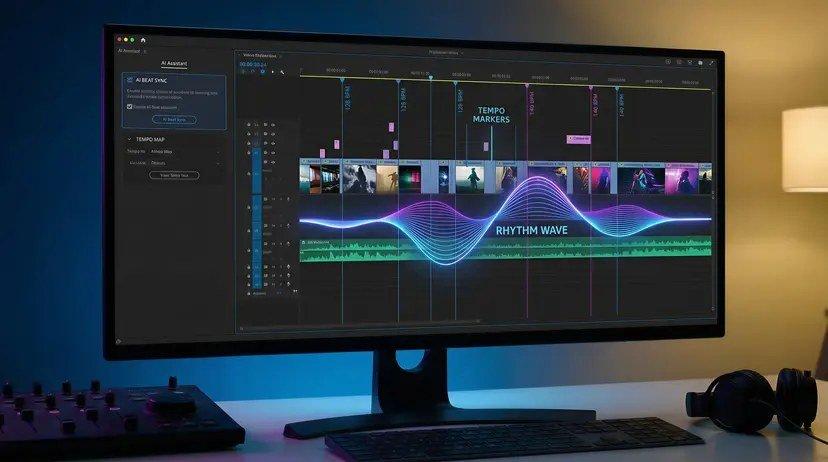
Video editing used to take 4 hours for every hour of footage. AI has collapsed that ratio — but only if you use the right tools for the right jobs. What are the best AI video editing tools in 2026? I’ve edited with all of them, from quick social cuts to full YouTube productions. Here’s the honest breakdown: what each tool automates well, where humans still beat AI, and how to build an AI-assisted editing workflow.
What AI Editing Actually Automates Well
- Silence and filler removal: auto-cutting dead air, “ums,” and pauses. Genuinely excellent now.
- Captions: accurate auto-transcription with styling. See our caption guide.
- Clip selection: finding highlights in long footage (with human review).
- Reframing: auto-converting horizontal to vertical with smart subject tracking.
- Audio cleanup: noise removal, leveling, enhancement. Dramatically improved.
- B-roll suggestions: matching stock footage to your narration.
The Best AI Video Editing Tools
1. Descript — Best Text-Based Editing
Descript’s paradigm — edit video by editing the transcript — remains revolutionary for talking-head content, podcasts, and tutorials. Delete a sentence from the transcript and it vanishes from the video. Remove filler words across an hour of footage in one click. If your content is speech-driven, nothing else is close. Our podcast editing guide covers its audio strengths.
2. CapCut — Best Free All-Rounder
Free, powerful, and AI features keep landing: auto-captions, background removal, auto-reframe, script-to-video. The default editor for short-form creators worldwide. The desktop version handles serious projects too. Hard to beat “excellent and free.”
3. Adobe Premiere Pro (AI Features) — Best Professional
Premiere’s AI features — text-based editing (their Descript-like mode), auto-reframe, scene detection, AI audio cleanup — bring AI into the professional workflow without leaving the industry standard. Best if you’re already in Adobe’s ecosystem or need broadcast-level finishing.
4. DaVinci Resolve (AI Features) — Best Free Professional
Resolve’s free version includes remarkable AI: magic mask (object selection), voice isolation, auto-subtitles, smart reframing. For colorists and serious editors who want AI assistance without subscriptions, it’s extraordinary value.
5. Opus Clip / Vizard — Best for Repurposing
Specialized in long-to-short: feed a podcast or video, get clips. Not a full editor — a repurposing machine. See our Shorts guide.
Where Humans Still Win
- Story and pacing. AI cuts silences; it doesn’t feel rhythm. The emotional timing of cuts is human judgment.
- Creative decisions. Which take, which angle, when to linger — taste, not automation.
- Reviewing AI choices. Auto-edits need human review. AI occasionally cuts something important or keeps something awful.
The winning formula: AI does the mechanical 70%, humans do the creative 30%. Editors who embrace this produce more, faster. Editors who resist get outproduced.
A Practical AI Editing Workflow
- Rough cut with AI: silence removal, filler word deletion, auto-assembly.
- Human story pass: structure, pacing, which sections stay or go.
- AI polish: captions, audio cleanup, color matching.
- Human finish: music, final pacing tweaks, thumbnail.
- Repurpose with AI: clips for Shorts/TikTok from the finished video.
For text-to-video generation feeding into editing: beginner video guide.
What Are the Best AI Video Editing Tools for Talking-Head Videos?
Talking-head is the most common creator format, and AI transformed its editing. The killer features: text-based editing (delete a sentence in the transcript and the video cuts automatically), filler removal (ums, uhs, pauses gone in one click), and auto-reframing for vertical.
The workflow that saves the most time: rough cut via transcript editing, then human review for pacing and emphasis. AI handles the mechanical 80 percent; you handle the 20 percent where judgment lives — which takes to keep, where the energy dips, what to cut for tightness.
Do not over-automate. Fully AI-edited talking-head videos have a recognizable rhythm — perfectly clean, slightly lifeless. Leave some humanity in: a natural pause, a genuine laugh. Audiences connect with people, not perfection. OpenAI’s ecosystem includes transcription tech that powers many of these editing workflows.
Audio quality determines retention more than video quality: viewers forgive 720p but leave for bad audio. AI audio cleanup — noise removal, leveling, de-essing — is the highest-ROI editing step. Apply it before any visual polish; clean audio with plain visuals outperforms beautiful video with harsh audio every time.
Invest in a decent microphone before any editing software upgrade: no AI cleanup fully rescues truly bad source audio. A $50 mic plus free editing beats a $300 software suite processing laptop-mic audio.
Learn one keyboard shortcut per editing session: cumulative speed gains are enormous over hundreds of videos. Efficiency compounds quietly.
The Bottom Line
What are the best AI video editing tools? Descript for speech-driven content, CapCut for free versatility, Premiere for professionals, DaVinci Resolve for free professional power. Let AI handle the mechanical work — cuts, captions, cleanup — and spend your human hours on story and pacing. That’s the edit bay of 2026: human creativity, AI leverage.



