
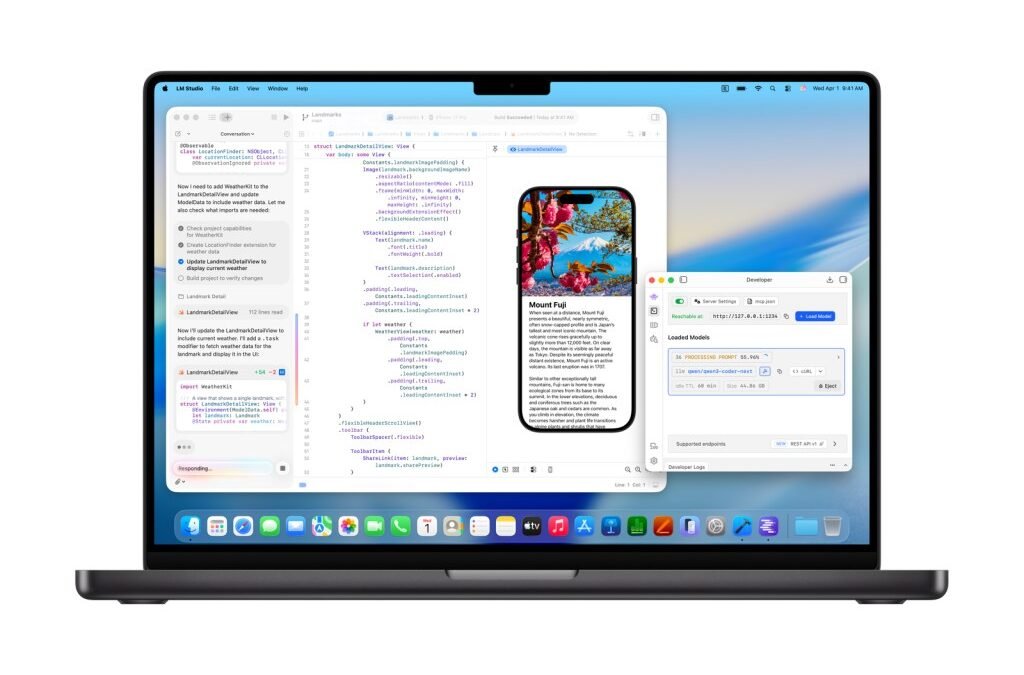
Your code is proprietary. Your client’s data is confidential. But you still want AI help. What is the best local model for coding assistance in 2026? Running AI on your own hardware — no cloud, no data leaving your machine — has gone from “painful compromise” to “genuinely viable” remarkably fast. I’ve tested the leading local coding models on real tasks. Here’s what’s worth running.
Why Local Coding AI
- Privacy: proprietary code never leaves your machine. For many companies, this isn’t preference — it’s policy.
- Offline: works on planes, in secure facilities, anywhere without reliable internet.
- Cost: after hardware, inference is free. Heavy users save substantially vs API bills.
- Control: no rate limits, no model deprecations breaking your workflow, no usage logging.
The Best Local Models for Coding
1. DeepSeek Coder / DeepSeek V3 Variants — Best Overall Local Coding
DeepSeek’s coding models shocked everyone with their quality-to-size ratio — performance near frontier models at sizes that run on consumer hardware. For local coding assistance, they’re the current sweet spot: strong code generation, good reasoning, reasonable VRAM requirements (quantized versions run on 16-24GB).
2. Qwen Coder Series — Best for Multilingual Code
Alibaba’s Qwen coder models are excellent all-rounders with particularly strong multilingual capabilities — code comments, documentation, and explanations across languages. The larger variants rival commercial APIs on standard coding tasks.
3. CodeLlama / Llama Code Variants — Best Ecosystem
Meta’s code models have the biggest ecosystem — the most tooling, the most fine-tunes, the most community support. Not always the absolute best on benchmarks, but the safest choice for compatibility with local AI coding tools.
4. StarCoder2 — Best for Code Completion
Purpose-built for completion-style assistance with permissive training data (a plus for commercial use). Excellent in IDE-integrated local setups.
Hardware Reality Check
- Minimum viable: 16GB unified memory (M-series Mac) or 12GB VRAM GPU — runs 7-13B quantized models adequately.
- Comfortable: 24GB+ VRAM or 32GB+ unified memory — runs 30B+ models well.
- Serious: 48GB+ VRAM — runs 70B models that approach frontier quality.
Quantization (running compressed models) is the key technology — 4-bit quantized models lose surprisingly little quality while fitting in fraction of the memory. Our GPU guide details hardware choices.
The Software Stack
- Ollama: the easiest way to run local models — one command, clean API. Start here.
- LM Studio: user-friendly GUI for trying models without command line.
- Continue / Tabby: IDE extensions that connect local models to VS Code / JetBrains — local Copilot experience.
- Open WebUI: ChatGPT-like interface for your local models.
What to Expect (Honest)
- Good at: code completion, boilerplate, explaining code, simple functions, refactoring assistance.
- Weaker at: complex multi-file reasoning, novel architecture, the hardest debugging — this is where frontier cloud models still lead.
- The gap: roughly 6-12 months behind frontier. For daily coding assistance, local is genuinely sufficient. For the hardest problems, keep a cloud option for escalation.
The hybrid approach most developers use: local for 90% of work (fast, private, free), cloud API for the 10% that’s genuinely hard. Best of both worlds.
Related: local LLMs for beginners, privacy-sensitive local models, all coding tools ranked.
What Is the Best Local Model for Coding Assistance on Older Hardware?
Older hardware narrows your options, but does not eliminate them. Smaller quantized models (3-8B parameters) run on modest machines and handle autocomplete, simple boilerplate, and code explanation competently. They will not architect your system, but they will speed up the typing parts.
Optimization matters more than model choice here: use quantized versions (Q4/Q5), close other applications, and prefer models tuned for code over general chat models. A small code-tuned model beats a larger general one on weak hardware.
Be realistic about the ceiling: local models on old hardware assist, they do not replace cloud AI. Use local for the private and routine; use cloud for the hard problems. For background on the major model families, Claude’s documented architecture evolution explains what local models are distilling.
RAM is the practical constraint: 8GB handles small quantized models, 16GB opens up 7-13B models, 32GB+ runs serious local coding assistants. Match model size to your machine honestly — a smaller model running smoothly beats a larger one swapping to disk. When in doubt, start small and scale up.
Join the community around your chosen model: forums and chat groups surface optimization tips, prompt patterns, and troubleshooting that documentation misses. Local AI moves fast; community knowledge keeps you current.
The Bottom Line
What is the best local model for coding assistance? DeepSeek Coder variants for the best quality-to-hardware ratio, Qwen Coder for multilingual needs, CodeLlama for ecosystem compatibility. Run them via Ollama, connect to your IDE with Continue, and you’ve got private, free, offline coding AI that’s genuinely good for daily work. The cloud still wins on the hardest problems — but for everything else, local is ready.



