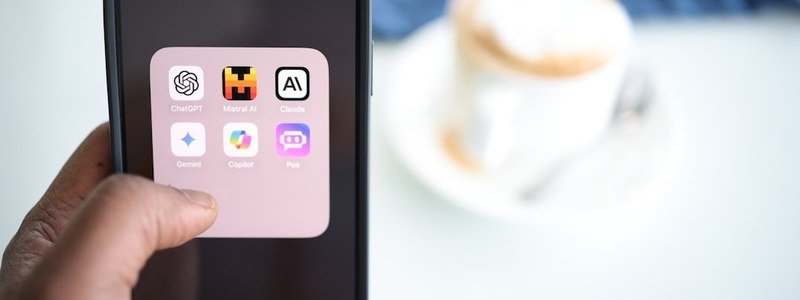
Most AI chatbot comparisons focus on the web experience and treat mobile apps as an afterthought. That’s backwards — for millions of people, the phone is how they use AI. Which AI chatbot has the best mobile app? I’ve used the ChatGPT, Claude, and Gemini apps daily on both iOS and Android, and they differ wildly in polish, features, and how well they fit into phone life. Here’s the 2026 ranking.
How I Judged the Apps
- Feature parity — does the app do what the desktop does?
- Voice experience — the killer mobile feature
- Speed and reliability — no one tolerates a laggy app
- OS integration — widgets, shortcuts, default assistant status
- Camera/visual features — uniquely mobile capabilities
The Ranking: Best AI Chatbot Mobile App
1. ChatGPT — Best Overall Mobile App
ChatGPT’s mobile app is the most polished and complete. Voice mode is genuinely excellent — natural conversation with interruption handling that feels like talking to a person. The camera integration (point at anything and ask) works smoothly. It’s fast, stable, and gets new features quickly. Widgets are useful, sharing is easy, and the whole thing feels designed for thumbs rather than shrunk from desktop.
It’s the app I recommend to anyone who primarily uses AI on their phone. Our voice mode setup guide gets you started.
2. Gemini — Best on Android, Limited on iPhone
On Android, Gemini is arguably #1 — it’s integrated at the OS level (Circle to Search, default assistant replacement, deep app control). But as an app evaluated cross-platform, it loses points: on iPhone it’s sandboxed and can’t do the system-level tricks. If you’re on Android, Gemini’s integration is unbeatable. If you’re on iPhone, it’s a good app with walls around it. Full breakdown in our Gemini Android vs iPhone guide.
3. Claude — Clean but Minimal
Claude’s app is beautiful and fast, but it’s the thinnest of the three — essentially a clean chat window with file upload. No voice mode (as of my testing), limited OS integration, fewer tricks. The AI inside is excellent, so for text conversations it’s fine. But as a mobile experience, it feels like a wrapper rather than a native app. Details in does Claude have a mobile app worth using.
Platform Matters: iPhone vs Android
- On iPhone: ChatGPT wins clearly. Best app polish, best voice, most complete features. Gemini is a solid second.
- On Android: it’s a real fight — Gemini’s OS integration (Circle to Search, assistant replacement) versus ChatGPT’s superior app and voice. I give Gemini the edge for Android natives, ChatGPT for everyone else.
For the broader assistant question beyond chatbots, see best AI assistant for Android.
What Mobile AI Is Actually Good For
The best mobile AI use cases, from my own daily life:
- Voice conversations — brainstorming on walks, practicing presentations, learning a language
- Visual questions — “what plant is this,” “translate this menu,” “what’s wrong with my car dashboard light”
- Quick captures — dictate ideas, summarize articles, settle debates
- On-the-go help — travel translations, quick math, “explain this like I’m five” moments
What mobile AI is bad for: long writing, complex analysis, anything with files. That’s desktop territory — our mobile vs desktop comparison covers the split.
Which AI Chatbot Has the Best Mobile App for Daily Use?
Beyond features, the daily-use question is friction: how fast can you go from “I have a thought” to “the AI is helping”? The best mobile app is the one with the shortest path — a home-screen widget, a lock-screen shortcut, fast voice input. Seconds matter; an app that takes four taps to reach will lose to one that takes one.
Offline behavior matters too. None of the major chatbots work fully offline, but they differ in how gracefully they handle spotty connections — queuing your message versus erroring out. If you commute through dead zones, this is a real differentiator.
My setup: the official app of my primary chatbot as a home-screen widget, voice input enabled, biometric lock on. Thirty seconds of configuration, used a dozen times daily. Check OpenAI’s app page to make sure you’re downloading the genuine app, not an imposter.
Widgets and shortcuts are the underrated mobile advantage. A home-screen widget that opens voice mode in one tap, a lock-screen shortcut for quick questions, share-sheet integration for summarizing articles — these micro-optimizations compound into a meaningfully faster daily workflow. Spend fifteen minutes configuring them once; benefit every day for a year.
The Bottom Line
Which AI chatbot has the best mobile app? ChatGPT overall — best voice, most polished, most complete. Gemini wins on Android specifically thanks to OS integration. Claude’s app is clean but basic. If your phone is your primary AI device, install ChatGPT first; Android users should also set up Gemini as their assistant. The AI inside matters, but on mobile, the app around the AI matters just as much.