
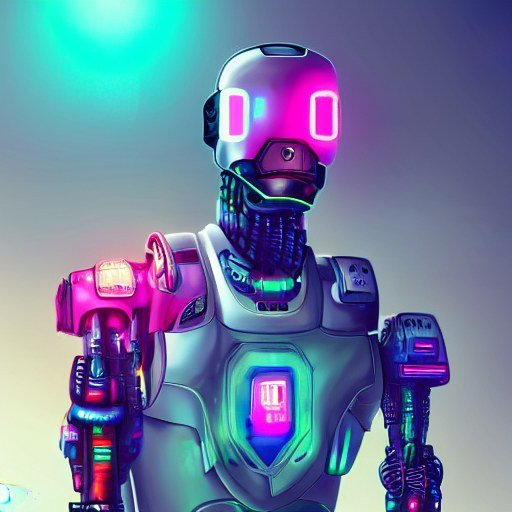
AI image generation went from novelty to everyday tool fast — and it’s baked right into ChatGPT. But does ChatGPT Plus include image generation? Yes, and it’s one of the subscription’s most underrated perks. Here’s what Plus image generation actually includes, its limits, and how it stacks up against dedicated tools.
Does ChatGPT Plus Include Image Generation? What’s Included
Yes — ChatGPT Plus includes AI image generation powered by OpenAI’s image models (the DALL-E lineage and its successors). Plus subscribers get:
- Higher generation limits than free-tier users — enough for regular creative work
- Conversational creation: describe what you want in plain language, iterate with follow-ups (“make the sky more dramatic,” “same scene at night”)
- Image editing: upload a photo and ask for modifications, style transfers, or variations
- In-context use: generate images mid-conversation for presentations, mockups, and illustrations
The conversational aspect is the real advantage over standalone generators: you refine by talking, not by mastering parameter syntax. “A cozy coffee shop logo, minimalist, warm colors” → “make it rounder, add a cat” → done.
What It’s Great At vs. Where It Lags
- Great at: illustrations, concept art, mockups, social visuals, brainstorming imagery, editing existing photos by description
- Good and improving: text within images (historically AI’s weak point, now much better)
- Weaker at: ultra-specific artistic styles, photorealistic faces (deliberately limited), precise layout control
For professional-grade artistic work, dedicated tools still lead — our Midjourney worth-it analysis covers when a specialist tool earns its keep. But for the 90% use case (decent custom visuals fast), Plus image gen is plenty.
Limits Worth Knowing
- Separate quota: image generations have their own limits apart from text messages — heavy image sessions won’t eat your chat allowance and vice versa
- Generation time: each image takes ~30-60 seconds; batch requests accordingly
- Content policies: no real people’s faces, no deceptive content, standard safety filters apply
- Free tier also generates: but with tighter limits — Plus is about volume and priority
Getting Better Images: Quick Tips
- Be specific about style: “watercolor,” “3D render,” “flat vector illustration” — style words matter enormously
- Describe composition: what’s in the foreground, the mood, the lighting
- Iterate conversationally: don’t restart — refine (“keep everything, change the background to a beach”)
- Ask for variations: “give me 3 different takes on this” for options
- Specify aspect needs: mention if it’s a thumbnail, header, or square social post
Is Image Generation Alone Worth Plus?
Probably not as a standalone reason — but it’s a strong supporting one. If you’re already considering Plus for the models and limits, image gen makes the $20 easier to justify. And if budget is the concern, ways to pay less for Plus apply here too. Compare with Claude Pro at the same $20 if image generation is a priority — the two services’ visual capabilities differ.
For the full pricing picture, see what Plus costs per month — image generation is one line item in a solid bundle.
Image Generation Across Tiers: Full Comparison
- Free: basic image generation with tight limits — enough to try, not enough to rely on.
- Go: more generous than free — covers casual creators.
- Plus: the sweet spot — high limits, priority generation, full editing features.
- Pro: highest limits for professionals producing volume.
The jump from free to Plus is the meaningful one for image creators. If you’re generating daily visuals for content, the free tier’s caps will frustrate you within a week — Plus removes that friction. For occasional use, free suffices; be honest about which you are.
Creative Workflows With Plus Image Gen
- Content creators: thumbnails, headers, social visuals — generate, refine conversationally, publish. The iteration speed beats stock photo hunting.
- Presentations: custom diagrams and illustrations that match your narrative — no more generic stock.
- Mockups: visualize ideas for clients before committing design resources.
- Brainstorming: “Show me 5 logo directions for a coffee brand” — visual thinking, fast.
The conversational refinement is the killer feature versus standalone tools: “same but warmer colors, wider shot” — no parameter syntax to learn. For non-designers, this accessibility matters more than any quality edge specialists offer.
Frequently Asked Questions
Who owns AI-generated images?
Check OpenAI’s current terms — typically you retain rights to outputs, but verify for commercial use. Terms evolve; don’t rely on articles for legal certainty.
Can it edit my photos?
Yes — upload and describe changes. Great for background swaps, style transfers, and object removal. Results vary; simple edits work best.
Why do faces sometimes look wrong?
AI image models still struggle with hands, faces, and text — though improving fast. For critical work, generate options and pick the best.
Is there a daily limit?
Yes — separate from text limits, and tier-dependent. Heavy image days can cap; plan big visual projects accordingly.
The Takeaway
Yes, ChatGPT Plus includes capable AI image generation with generous limits, conversational refinement, and photo editing — a genuine perk, not an afterthought. It’s excellent for everyday visual needs; specialists should still consider dedicated tools. If you’re on Plus, you’re probably underusing this feature — try generating your next presentation visual or social graphic conversationally and see. Included with every Plus subscription at OpenAI’s site.



