
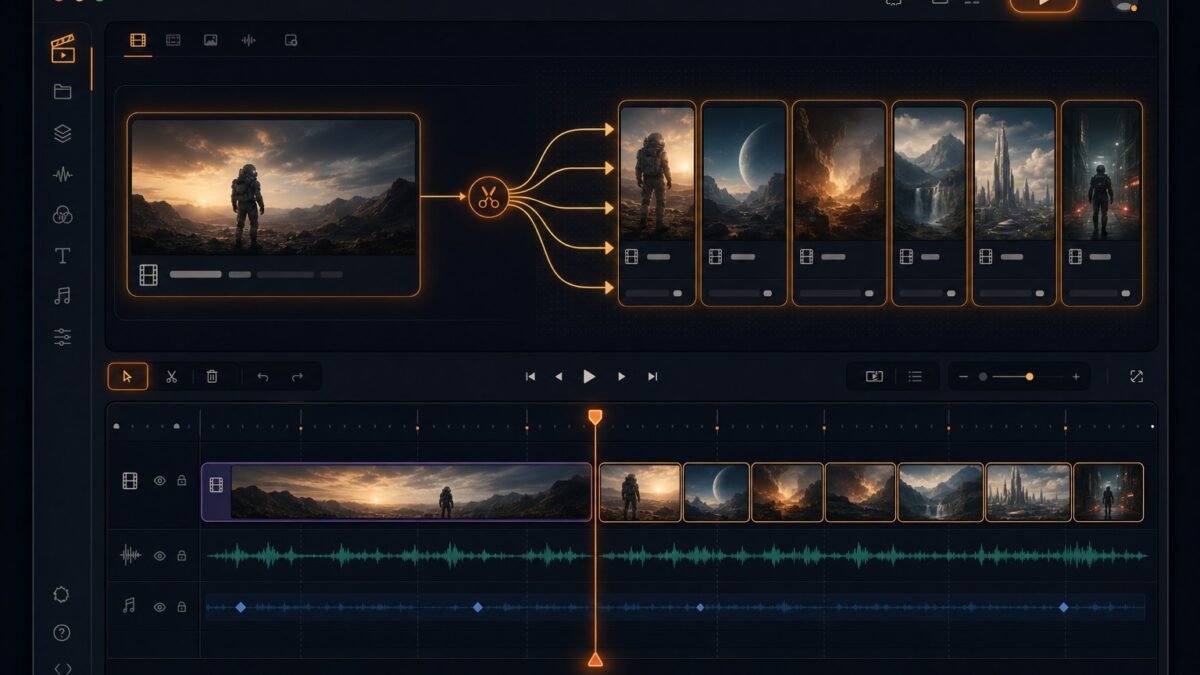
Learning how to repurpose videos with AI is the highest-ROI skill in content creation: turn one video into ten assets across every platform, multiplying your reach without multiplying your workload. The creators growing fastest aren’t necessarily creating more — they’re extracting more from everything they create. AI makes systematic repurposing feasible for solo creators. Here’s the complete system.
Why Repurposing Matters More Than Ever
Every platform wants native content: YouTube wants long-form and Shorts, TikTok wants vertical punchy clips, Instagram wants Reels and carousels, LinkedIn wants professional clips, X wants short snippets. Creating natively for each is unsustainable; repurposing one core asset across all is the only scalable strategy. AI collapses the repurposing cost from “hire an editor” to “run a workflow” — which is why systematic repurposing separated growing creators from stagnant ones.
How to Repurpose Videos With AI: The Core System
The content pyramid
Think in layers, top to bottom:
- Pillar (1x): your long-form video, podcast episode, or webinar — the deep asset.
- Clips (5–10x): 30–60 second highlights for Shorts/Reels/TikTok.
- Micro-content (10–20x): quote graphics, audiograms, GIFs, text posts derived from key moments.
- Written derivatives: blog posts, newsletters, Twitter threads, LinkedIn articles from transcripts.
One pillar → 20+ assets. That’s the math that makes repurposing transformative.
Step 1: Identify the golden moments
AI analyzes your long video for high-potential clips: emotional peaks, surprising statements, quotable lines, visual highlights, and topic transitions. Tools score segments by predicted engagement — but apply your judgment: AI identifies candidate moments; you select the ones matching your brand and audience. Our short-form automation guide (automating short-form) details the clipping workflow.
Step 2: Reformat for each platform
- Vertical conversion: 16:9 → 9:16 isn’t just cropping — AI reframes to keep subjects centered, adds dynamic captions, and optimizes for mobile viewing.
- Caption everything: platform-native caption styles differ (TikTok’s word-by-word pop vs. YouTube’s clean subtitles). AI generates and styles these automatically.
- Hook optimization: the first 3 seconds of a clip determine its fate. AI can suggest reordered openings — starting with the payoff, then context.
- Length adaptation: 60s for Shorts/Reels, up to 3min for TikTok, 30s teasers for X. Same moment, different cuts.
Step 3: Generate written derivatives
Transcribe (AI transcription), then transform:
- Blog posts: expand the transcript into an article — our blog-to-video guide (blog posts to videos) runs the reverse direction.
- Newsletters: distill key insights into email format.
- Social threads: break arguments into threaded posts.
- Quote graphics: overlay key lines on branded templates — our bulk image guide (bulk image generation) scales this.
Step 4: Distribute strategically
Don’t dump everything everywhere simultaneously:
- Stagger releases across days/weeks for sustained presence.
- Platform-native tweaks: adjust captions, hashtags, and CTAs per platform — cross-posted content with “link in bio” on the wrong platform screams repurposed.
- Funnel design: clips should drive toward the pillar (link to full video) or toward conversion (newsletter, product). Every asset needs a job.
- Track per-asset performance to learn which moments and formats resonate — feed learnings back into pillar planning.
Repurposing Workflows by Source Type
- Podcasts → audiograms, quote clips, topic-specific shorts, blog posts, newsletter issues. Audio-first content repurposes beautifully.
- Webinars → tutorial clips, FAQ shorts, slide carousels, written guides. Dense educational content is a goldmine.
- Vlogs → highlight reels, funny moments, location guides, behind-the-scenes shorts.
- Tutorials → step-by-step shorts (one step per clip), cheat-sheet graphics, FAQ compilations.
- Interviews → best-answer clips, quote graphics, topic compilations, transcript articles.
Automation vs. Curation Balance
Full automation (AI clips, auto-posts, no review) produces volume without judgment — and audiences notice. The winning balance: AI handles extraction, formatting, captioning, and scheduling (the mechanical 80%); you handle selection, hook optimization, and brand voice (the judgmental 20%). Review every asset before publishing — a bad clip damages more than no clip. Our YouTube growth guide (growing on YouTube) situates repurposing in the broader strategy.
Repurposing Metrics: What to Measure
Repurposing without measurement is just activity. Track: clip-to-pillar conversion (do Shorts viewers watch the full video?), per-platform growth rates (which derivatives drive follows where?), content lifespan (how long do repurposed assets keep performing?), and effort-to-return ratio (which repurposing types justify their time?). The patterns will surprise you — often a “minor” derivative (quote graphics, say) outperforms the clips you labored over. Let the data reshape your pyramid: invest more in what compounds, cut what doesn’t. Repurposing is a system, and systems improve with feedback.
For more background, see YouTube’s official site.
The Takeaway
Repurposing with AI turns every video into a content ecosystem: extract golden moments with AI analysis, reformat natively per platform, generate written derivatives from transcripts, and distribute strategically with funnel intent. Keep human judgment on selection and voice; automate everything mechanical. The creators winning the attention game aren’t working harder — they’re wasting less of what they create. Start this week: take your best-performing video, extract three clips with AI assistance, format them natively for three platforms, and publish across the week. Measure what happens. That single experiment will teach you more about repurposing than any guide — including this one.




1 Comment