
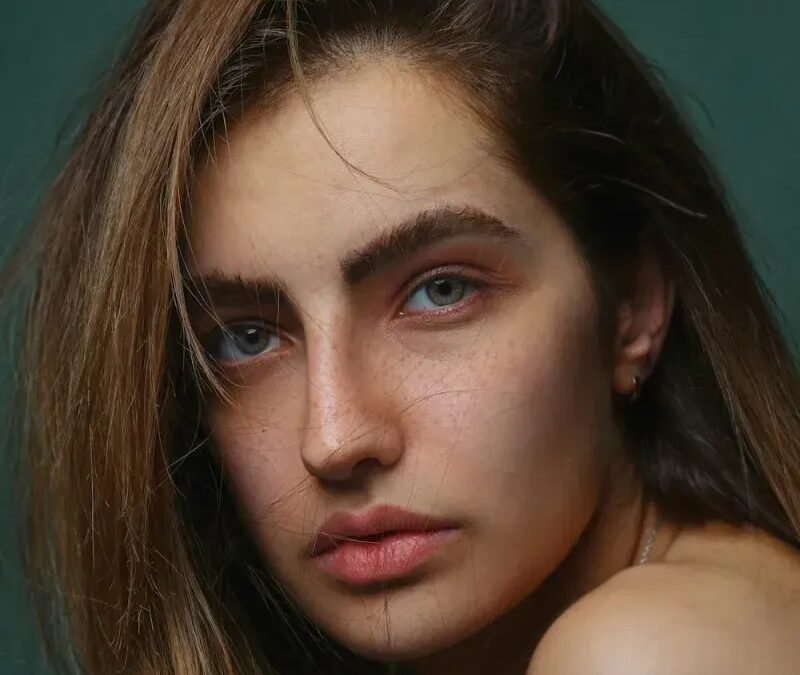
Want to know how to make an AI image look more realistic? Whether you’re chasing photorealism for client work, trying to sell the illusion in a creative project, or just tired of the telltale “AI look,” realism is a craft with learnable principles. This guide distills everything — prompting, generation settings, and post-processing — into a practical system. (For the deep dive on eliminating fakeness specifically, see our companion guide to making AI images not look fake.)
The Realism Formula
Realistic AI images come from three layers working together:
- Prompt realism: describing photographic reality, not idealized beauty.
- Generation choices: models, parameters, and settings that favor authenticity.
- Post-processing: photographic finishing that bridges the final gap.
Most people focus only on layer 1 and wonder why results still look synthetic. All three matter — but layer 3 (post-processing) is the most underrated, often contributing more perceived realism than prompt tweaks.
How to Make an AI Image Look More Realistic: Prompting
Describe photos, not fantasies
The core shift: prompt like you’re describing an existing photograph, not imagining a perfect scene.
- Camera language: “shot on 50mm f/1.8,” “iPhone candid,” “35mm film, slight grain” — optical specificity encodes realism.
- Real light: “overcast daylight through windows,” “harsh fluorescent,” “dim bar lighting” — actual lighting conditions, not “dramatic cinematic lighting.”
- Mundane truth: clutter, wrinkles, mess, wear, asymmetry. Reality’s texture is imperfection.
- Candid moments: “caught mid-laugh,” “looking away,” “motion blur on hand” — unposed beats posed for believability.
- Kill the superlatives: cut “stunning,” “breathtaking,” “ultra-detailed,” “masterpiece.” These are beautification triggers.
Model and parameter choices
- Use raw/natural modes: Midjourney’s
--style raw, equivalent settings elsewhere — reduces automatic beautification. - Lower stylization values where the tool offers them.
- Photorealistic-tuned models: for Stable Diffusion, checkpoints specifically trained for photographic output outperform general models dramatically.
- Higher resolution generation when possible — more pixels for fine realistic detail.
Post-Processing: The Realism Multiplier
This is where good becomes convincing. Standard photographic treatments, applied thoughtfully:
- Film grain: the highest-impact single tweak. Uniform subtle grain destroys digital perfection.
- Realistic color grading: pull back AI’s tendency toward hyper-saturated, HDR-ish color. Slightly lifted blacks, natural white balance, restrained saturation.
- Lens characteristics: subtle chromatic aberration, gentle vignetting, realistic depth of field. These whisper “camera” to the viewer’s subconscious.
- Texture restoration: skin pores, fabric weave, surface variation — wherever the AI over-smoothed, add micro-texture back.
- Lighting coherence pass: dodge/burn to unify light direction; ensure shadows are consistent.
- Repair pass: fix hands, teeth, and anatomy with inpainting (fixing AI hands) before final grading.
Subject-Specific Realism Tips
- People: natural skin texture is everything — “visible pores,” “uneven skin tone,” “flyaway hairs.” Asymmetrical features (slightly uneven smile, one eye marginally different) read as human; perfect symmetry reads as generated. Our photorealistic portrait techniques (photorealistic Midjourney) go deep.
- Interiors and architecture: lived-in details — books slightly askew, a blanket draped casually, signs of use. Pristine interiors look like renders; inhabited ones look photographed.
- Food: imperfection sells appetite — a drip of sauce, uneven browning, casual plating. Over-perfect food looks plastic.
- Nature: chaos is realistic — tangled branches, uneven terrain, unpredictable cloud formations. Manicured nature looks generated.
- Objects and products: wear, reflections, fingerprints on glossy surfaces, realistic shadows anchoring objects to surfaces.
The Realism Test Protocol
- The glance test: show it at thumbnail size for 2 seconds. Does anything scream wrong?
- The zoom test: inspect at 100% — hands, eyes, teeth, text, background details.
- The fresh-eyes test: show someone unfamiliar with the project. Ask “anything odd?” without priming them about AI.
- The lighting test: trace every shadow to its light source. Inconsistencies hide in plain sight until you look.
- The story test: does the image tell a coherent physical story? Every element should make sense together.
Ethics: Realism as Responsibility
Powerful realism techniques carry obligations. Our guide to undetectable AI images draws the lines: legitimate creative and commercial work versus deception. Never create realistic images intended to mislead — fake events, fake people, fake evidence. Disclose AI involvement where platforms or contexts require it. Realism skill is neutral; its application defines its ethics.
Realism Across Different Generators
The three-layer system works everywhere, but each platform has quirks worth knowing. Midjourney needs --style raw to defeat its beautification bias; without it, you’re fighting the model’s defaults. Stable Diffusion rewards checkpoint choice more than prompting — a photorealistic-tuned model with a simple prompt beats a general model with a paragraph of descriptors. DALL-E 3 tends toward a clean, slightly illustrative look that post-processing can push photographic with grain and grading. Firefly, trained on licensed Adobe Stock imagery, has a photographic bias built in — often the fastest path to realism for commercial work. Know your tool’s defaults, then counteract them.
For more background, see Wikipedia’s Midjourney article.
The Takeaway
Making AI images realistic is a three-layer craft: prompt photographic truth (cameras, real light, imperfection), choose authenticity-favoring models and settings, and finish with photographic post-processing (grain, grading, lens effects). Test ruthlessly with fresh eyes, repair flaws before final grading, and wield the capability responsibly. Realism isn’t a filter — it’s attention to how the real world actually looks, applied at every stage.



